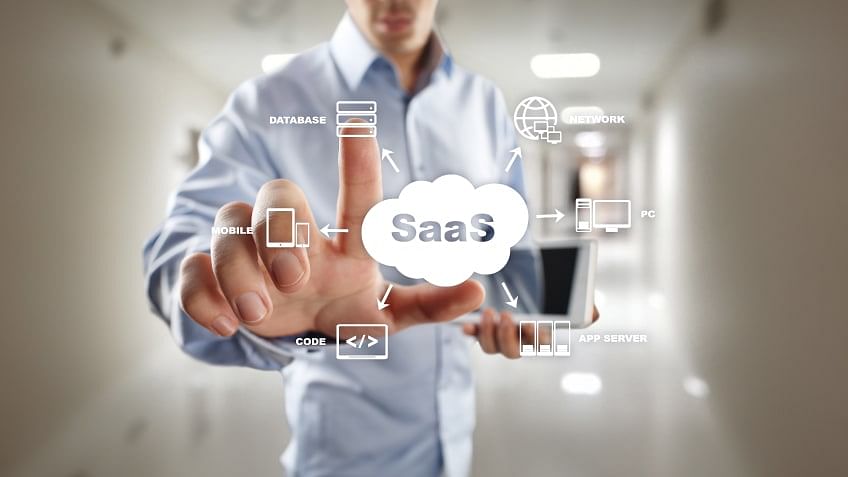
The software-as-a-service (SaaS) industry has long been viewed as the exclusive domain of technical founders. The prevailing narrative suggests that to build a successful SaaS company, you need to be a coding genius or have deep pockets to hire expensive engineering talent. However, a quiet revolution is underway, dismantling these barriers and democratizing entrepreneurship.
The emergence of sophisticated no-code platforms, powerful AI tools, and a vibrant community of non-technical founders has made it possible for anyone with a brilliant idea and a problem-solving mindset to start a successful SaaS business without coding. This comprehensive guide will walk you through everything you need to know, from validating your initial concept to acquiring your first paying customers and scaling beyond.
The Rise of the No-Code Founder
For decades, the path to software development was gated by a deep understanding of programming languages like Python, JavaScript, or Ruby. This created a significant barrier to entry for domain experts, creative thinkers, and problem-solvers who lacked a technical background. They were often forced to partner with a technical co-founder or invest significant capital in development agencies, surrendering equity and control in the process.
The no-code movement has fundamentally changed this dynamic. It replaces complex syntax with intuitive, visual interfaces where you can build applications using drag-and-drop components and pre-built logic. This shift doesn’t just accelerate the development process; it fundamentally alters who can become a founder.
Today, a marketing expert can build a customer relationship management (CRM) tool, a teacher can create an educational platform, and a consultant can automate their service delivery—all without writing a single line of code. As demonstrated by successful founders like Ahva Sadeghi of Symba, who came from a background in political science and economics, you don’t need a tech background to build a successful SaaS business. The key is obsessing over the problem and having the vision to see a solution through.
The market reflects this shift. According to recent data from Forbes, the no-code development platform market is experiencing explosive growth, demonstrating that this is not a fleeting trend but a fundamental change in how software is created. For aspiring entrepreneurs, this is a golden opportunity to start a successful SaaS business without coding and bring their visions to life faster and more affordably than ever before.
Phase 1: Validate Your Idea Before You Build
Before you even think about choosing a platform or designing your user interface, you must validate your idea. This is the single most critical step in the entire process. A staggering 42% of startups fail due to a lack of market demand for their product, according to CB Insights research. Validation ensures you are building something people actually need and are willing to pay for.
Obsess Over the Problem, Not the Solution
It’s natural to fall in love with your solution, but the most successful founders are fanatical about the problem. Start by stepping back and clearly defining the issue you are solving. Ask yourself probing questions to ensure you deeply understand the problem space:
-
How big is the problem, and who does it impact?
-
Why do you want to fix it?
-
What would a solution empower you to do?
-
How are people managing without it today?
Use AI and surveys to gather this data. ChatGPT can help you formulate interview questions, and tools like Typeform or Google Forms can be used to survey your target audience. The goal is to gather qualitative and quantitative evidence that confirms a real, painful, and widespread problem.
Validate the Need for Tech
Just because you can build a tech solution doesn’t mean you should. Ask yourself if technology is the best way to solve the problem. Sometimes, a service-based or manual approach is faster or more effective.
Tech is a good fit if:
-
There is a large market and a need to scale quickly across many users.
-
You’re looking to automate repetitive or complex workflows.
-
You need to connect people, data, or systems across geographies.
-
You want to create personalized experiences.
If your solution is for a niche, low-frequency problem, or if high-touch human interaction is key, then a traditional tech-heavy SaaS might not be the right path. This initial assessment is crucial before you commit to building a product.
Test Demand with a Simple Landing Page
Before building a full product, you can create a simple landing page to gauge interest. Tools like Carrd or Webflow allow you to build professional one-page sites in minutes. This page should clearly explain the problem you’re solving, present your proposed solution, and most importantly, include a strong call-to-action, such as an email sign-up form or a “Join the Waitlist” button.
By driving traffic to this page (via social media, online communities, or paid ads), you can measure the conversion rate of visitors to interested leads. This provides powerful evidence of demand. Some entrepreneurs even go a step further and pre-sell their product using Stripe or Gumroad, which provides a “willingness to pay” signal that is more valuable than just an email address.
Phase 2: Build Your MVP (Minimum Viable Product)
Once you have validated the problem and confirmed that there is a market need, it’s time to build your MVP. The MVP is a basic, functional version of your product that contains just enough features to solve the core problem for your early adopters. It is not about perfection; it is about speed and learning.
Define Your User Flow
Before you start clicking in a builder, map out the user flow from start to finish. You can use anything from a napkin and a pen to tools like Miro or Figma. Map out the high-level steps (often called “epics”) and the smaller, supporting actions (“stories”). For example, the objective of your SaaS might be to help people find freelance work.
-
Epic: Get a project.
-
Stories: Sign up, create a profile, browse projects, submit a proposal, get confirmation.
This mapping clarifies the logic and ensures you and your team (if you have one) are aligned on the goal. It also provides the blueprint you’ll need to build your product in a no-code environment.
Choose Your No-Code Stack
Selecting the right tools is critical. The optimal “stack” depends on the complexity of your application, but a typical no-code SaaS stack consists of the following components.
Front-End Builder
This is the visual interface your users see and interact with. The front end is where the user experience is crafted.
-
Bubble: The most powerful and flexible platform for building full-featured web applications. It has a steeper learning curve but offers incredible depth, making it a top choice for those looking to build complex SaaS products.
-
Adalo: Often called the “Apple of no-code builders” for its intuitive and simple interface. It’s fantastic for beginners and is powerful enough to build functional web and mobile apps.
-
Webflow: The gold standard for marketing websites and high-fidelity landing pages. While it can be used to build simple web apps, its primary strength is in pixel-perfect design.
-
Glide: Perfect for turning data from a Google Sheet or Airtable into a simple, functional app in minutes. Ideal for simple internal tools or lightweight products.
Back-End and Data Management
This is the “engine” that powers your application—managing databases, user authentication, and server-side logic.
-
Xano: A powerful, scalable, no-code backend that lets you create databases, build API endpoints, and define complex business logic in a visual environment. It’s often paired with Bubble or Adalo.
-
Airtable: A user-friendly and flexible database that works like a spreadsheet. It’s excellent for simple data structures and is often used as the backbone for apps built with Glide or Webflow.
Automation
Automation connects your front end to your backend and other services like email and CRMs, creating a seamless workflow.
-
Make (formerly Integromat): A highly capable automation tool that allows you to create complex, multi-step workflows. It is praised for its ability to map dependencies and connect various parts of your business. As one expert noted, Make Grid helped him identify a scenario still using an old API key, which he fixed in two minutes.
-
Zapier: The most well-known automation tool, connecting thousands of apps to perform simple automations. It’s user-friendly and perfect for basic tasks.
Payments
To turn your SaaS into a business, you must be able to collect payments seamlessly.
-
Stripe: The go-to choice for processing payments on the web. It integrates with almost all no-code platforms and offers a low-code, customizable checkout solution that supports over 100 global payment methods.
-
Dodo Payments: A full-stack Merchant of Record that handles not just payment processing but also tax compliance, invoicing, and regulatory adherence across multiple jurisdictions. This is invaluable for founders who want to sell internationally without navigating complex global tax laws.
Build and Test, Test, Test
Once you’ve selected your tools, it’s time to build. Because no-code platforms allow for such rapid iteration, you can build, test, and rebuild in a fraction of the time it would take with traditional coding.
This rapid development phase is crucial to avoid “tech debt”—the long-term cost of quick fixes that can cause problems down the line.
You don’t even need to have a fully working product to test. A technique called “faking it” can be invaluable. For example, you could start by using a simple survey tool like Typeform to manually deliver a service or fulfill a need. This approach, used by companies like Symba, allows you to test the core value proposition before investing time in building a custom solution.
Phase 3: The Mindset Shift and Key Strategies
Successfully building a no-code SaaS requires more than just technical proficiency; it requires a strategic and resilient entrepreneurial mindset.
Communicate Your Vision Clearly
Without a technical co-founder, you may need to communicate your vision to potential partners, customers, or even dev shops you might hire later. Visualizing your product is key. “Start scrappy and focus on clarity,” advises Ahva Sadeghi. “Draw boxes and arrows. Use Post-its, a whiteboard… then, you can level up and make it visual with Canva, Microsoft PowerPoint, Miro, or Figma.”
Find Your Co-Founder or Tech Partner
Even as a no-code founder, you might eventually need or want a technical partner. When looking for one, focus on finding someone who believes in your vision and mission, not just someone to “build your idea.” As Sadeghi says, “It’s about finding someone who believes in the idea for the community and the audience you’re serving. You need to know you’ve got each other’s back.”
Don’t be afraid to share your idea. “Ideas are a dime a dozen,” she explains. “It’s all about the execution, the marketing, and the strategy.” Use an NDA only if your idea is genuinely patentable; otherwise, talking about it and getting feedback is far more beneficial than keeping it secret.
The Reverse SaaS Funnel Hack
Dan Hafner, founder of Dapper No Code, advocates a powerful validation strategy he calls the “Reverse SaaS Funnel Hack.” It’s a simple but profound concept: sell your solution before you build it. By pre-selling, you prove that there is real market demand and that customers are willing to part with their money to get the solution. This is the ultimate form of validation and derisks the entire project. It also provides you with revenue to fund the development of your MVP.
Use AI as Your Co-Founder
Generative AI tools are an indispensable asset for no-code founders. You can use them to:
-
Research Competitors and Analyze Market Trends: Ask tools like ChatGPT, Perplexity, or Claude to summarize competitors, identify market gaps, and analyze user reviews.
-
Write Copy and Content: Use AI to write landing page headlines, email sequences, and blog posts. This saves time and helps you maintain a consistent marketing effort.
-
Generate Product Mock-Ups: Visual prototyping AI tools like Uizard can help you quickly create high-fidelity designs without a designer.
-
Coding Help: Even if you are a “vibe coder,” AI can help write or debug code snippets, generate WordPress snippets, and more.
Phase 4: Get Customers and Generate Revenue
Now that your MVP is live, the focus shifts to acquiring customers and generating recurring revenue.
Customer Acquisition Strategies
No-code tools make acquiring your first customers more accessible than ever.
| Strategy | Tools | Description |
|---|---|---|
| Landing Pages & SEO | Webflow, Unbounce, Carrd | Create high-converting landing pages optimized for search engines. Carrd is perfect for creating multiple variations to A/B test headlines, designs, and calls-to-action. |
| Lead Generation & Email | ConvertKit, Mailchimp, Lemlist | Capture leads on your landing page, nurture them with automated email sequences, and send targeted cold outreach campaigns. |
| Content & Social Proof | Canva, Loom, Testimonial.to | Create professional blog graphics, infographics, and social media posts. Record short demo videos or tutorials, and easily showcase testimonials and reviews from your first customers. |
| Referral Systems | Viral Loops | Launch a no-code referral program to incentivize your first users to spread the word, creating a powerful and cost-effective growth engine. |
Converting Leads to Paying Customers
Once you have traffic and leads, you need a seamless process to convert them. A frictionless onboarding experience is crucial. Tools like Outseta can package user authentication, trial gating, and welcome emails into a single, no-code solution.
Your pricing and checkout pages must be clear and secure. Embedding a payment tool like Stripe Checkout or Gumroad directly into your app makes for a smooth transaction. Also, consider offering a free trial to reduce the risk for potential customers and allow them to experience the value of your product firsthand.
Phase 5: Scale, Automate, and Grow
The journey doesn’t end with your first customer. The ability to start a successful SaaS business without coding also provides a clear path to growth and scaling.
Automate Everything
As your customer base grows, so does the burden of operations. Use automation to remove yourself from the day-to-day tasks.
-
Customer Support: Implement an in-app chat solution like Intercom or Crisp. You can even set up AI-powered chatbots to handle basic queries.
-
CRM & Customer Management: Use Notion or Airtable as a customizable CRM, or use a dedicated tool like HubSpot CRM to manage your sales pipeline and customer relationships. This helps you stay organized as your user base grows.
-
Internal Workflows: Use Zapier to connect your payment system to your CRM and email platform, automating the onboarding and follow-up process for new customers.
Know When to Add Code
No-code platforms are powerful, but they have limitations. At some point, you may hit performance bottlenecks or find that complex features are too difficult to implement within your chosen platform. This is a great problem to have—it means your business is succeeding.
When you reach this point, you don’t need to rebuild your entire application. You can adopt a hybrid approach. You can carve out the most performance-critical parts of your application and rebuild them with custom code, using them as microservices that interface with the rest of your no-code application. This allows you to keep the agility and speed of no-code where it works best, while adding the power and scalability of custom code exactly where you need it.
The Benefits and Drawbacks of Building a No-Code SaaS
Like any approach, building a no-code SaaS has its distinct advantages and potential drawbacks.
Benefits: Why No-Code is a Game-Changer
-
Speed and Agility: You can go from an idea to a functional MVP in days or weeks, not months or years. This allows you to test the market, get feedback, and iterate at unprecedented speed.
-
Lower Cost: Building a no-code app eliminates the cost of hiring a development team. This lowers the financial barrier to entry dramatically, allowing you to bootstrap your business with minimal capital.
-
Accessibility: It democratizes software development, empowering non-technical founders to bring their ideas to life. This leads to a wider range of innovations from domain experts who deeply understand specific problems.
-
Ease of Pivot: Because changes are easy to make in a visual builder, pivoting based on user feedback is far less painful than rewriting thousands of lines of code.
Drawbacks: The Potential Limitations
-
Platform Lock-in: Your entire business logic is often dependent on a single platform’s ecosystem. If the platform changes its pricing model or goes out of business, you could face significant challenges.
-
Performance and Scalability: No-code platforms are generally not as performant as custom-coded applications. While they can handle early-stage traffic, they may struggle with high user loads or complex data processing.
-
Limited Customization: You are restricted to the capabilities of the platform. For highly unique or complex functionalities, you may hit a wall and require custom code.
-
SEO Challenges: While tools like Webflow are great, some other no-code builders are not as SEO-friendly, which can be a concern for SaaS businesses that rely heavily on organic traffic.
What Happens When Customers Cancel Their Subscription?
A crucial but often overlooked aspect of running a SaaS business is managing the cancellation process effectively. A transparent and user-friendly cancellation experience can actually reduce churn and improve customer satisfaction.
The Standard Cancellation Process
The cancellation process should be straightforward and accessible. Here’s how it typically works:
-
Accessing Account Settings: Users should be able to find the cancellation option within their account dashboard or profile settings. It should never be hidden or difficult to locate.
-
Initiating the Request: Once the user navigates to the subscription or billing section, they should see a clearly labeled “Cancel Subscription” or “Cancel Plan” button.
-
The “Save” Attempt: Before processing the cancellation, it’s considered best practice to offer the user an alternative. This could be a lower-priced plan, a temporary pause, or a discount. This attempt to retain the customer is known as the “save” or “retention” flow.
-
Confirmation and Feedback: After the user confirms their decision, they should be asked to provide a reason for leaving. This feedback is invaluable for improving your product.
-
Final Confirmation: Provide a clear confirmation message that the subscription is cancelled, and send a follow-up email to the user for their records.
Why a Good Cancellation Policy Matters
A positive cancellation experience can turn a departing customer into a brand advocate. When users find the cancellation process easy and respectful, they are far more likely to return in the future or recommend your service to others. Conversely, a frustrating cancellation process can lead to chargebacks, negative reviews, and damage to your brand reputation.
Many leading companies have learned this lesson the hard way. According to Harvard Business Review studies, companies that make it difficult to cancel often face significant backlash, while those that respect their users’ decisions see a long-term boost in customer loyalty.
Best Practices for Handling Cancellations
-
Be Transparent: Clearly state your cancellation policy on your pricing page and in your terms of service.
-
Offer Alternatives: Always offer a pause or a downgrade option before processing a full cancellation.
-
Request Feedback: Use a simple, no-code form to ask why they’re leaving. Google Forms or Typeform integrated with your app can accomplish this easily.
-
Allow Reactivation: Make it easy for users to restart their subscription if they change their mind.
-
Process Refunds Promptly: If a refund is applicable, process it according to your policy without delay.
Expert Tips for Long-Term Success
Tip 1: Don’t Build Features, Solve Problems
It’s tempting to keep adding features to make your product look more impressive. However, most users prefer a product that does one thing exceptionally well over one that does many things poorly. Stay focused on your core value proposition and solve the problem you set out to fix.
Tip 2: Listen to Your Customers Early and Often
Your first 100 customers are your most valuable asset. They will give you the honest feedback you need to improve. Create a feedback loop using tools like Canny or UserVoice, and show your users that you’re acting on their suggestions. This builds a powerful sense of community and ownership.
Tip 3: Build a Community Around Your Product
A loyal community is a powerful marketing engine. Use platforms like Reddit to engage with your target audience, answer questions, and build relationships. A strong community not only provides you with invaluable feedback but also acts as a powerful advocacy group that can help you start a successful SaaS business without coding through word-of-mouth referrals.
Tip 4: Keep Your Stack Simple
When you’re starting out, it’s better to use a few powerful tools that work well together rather than a complex ecosystem. As mentioned in various Amazon bestsellers on SaaS building, simplicity in your tech stack allows you to focus on your business rather than managing integrations.
Tip 5: Embrace Continuous Learning
The no-code and AI landscape is evolving rapidly. Dedicate time each week to learning about new tools and techniques. Follow industry leaders on LinkedIn, join no-code communities, and read case studies of successful no-code founders.
Conclusion: Your Blueprint to Start a Successful SaaS Business Without Coding
The path to becoming a tech entrepreneur has never been more accessible. The era where a brilliant idea was sidelined for lack of coding skills is over. The modern founder’s journey is built on vision, problem-solving, and the intelligent use of powerful new tools.
Here is your actionable blueprint to start a successful SaaS business without coding:
-
Validate Your Problem: Don’t build a product for a problem that doesn’t exist. Interview potential customers, build simple landing pages, and pre-sell your idea to prove demand. Obsess over the problem, not the solution.
-
Build a Scrappy MVP: Use no-code tools to build a Minimum Viable Product. Use intuitive platforms like Bubble, Adalo, or Glide for your front end, Xano or Airtable for your backend, and Make or Zapier for automations. The key is to get a functional product in front of users as quickly as possible.
-
Get Your First Customer: Use pre-selling, targeted landing pages, and content marketing to find your early adopters. These first customers are not just revenue; they are your most valuable source of feedback.
-
Iterate Relentlessly: Use the feedback from your initial users to improve your product. No-code tools make this process of iteration and improvement incredibly fast and cost-effective.
-
Focus on Automation and Systems: As you grow, use the same no-code and AI tools to automate your business processes, from customer support to sales onboarding. This allows you to scale efficiently as a solopreneur or small team.
-
Adopt a Hybrid Approach: When you hit the performance or feature limits of no-code, don’t panic. You can supplement your no-code stack with custom code in critical areas, creating a powerful, scalable, and agile hybrid solution.
-
Manage Subscriptions Wisely: Implement a transparent and user-friendly cancellation process. This not only builds trust but also provides you with valuable insights to reduce churn and improve retention.
The world of SaaS is now open to everyone. The barriers have fallen. The tools are at your fingertips. Your only limitation is your imagination and your willingness to start. So, take that first step and start your no-code journey today.