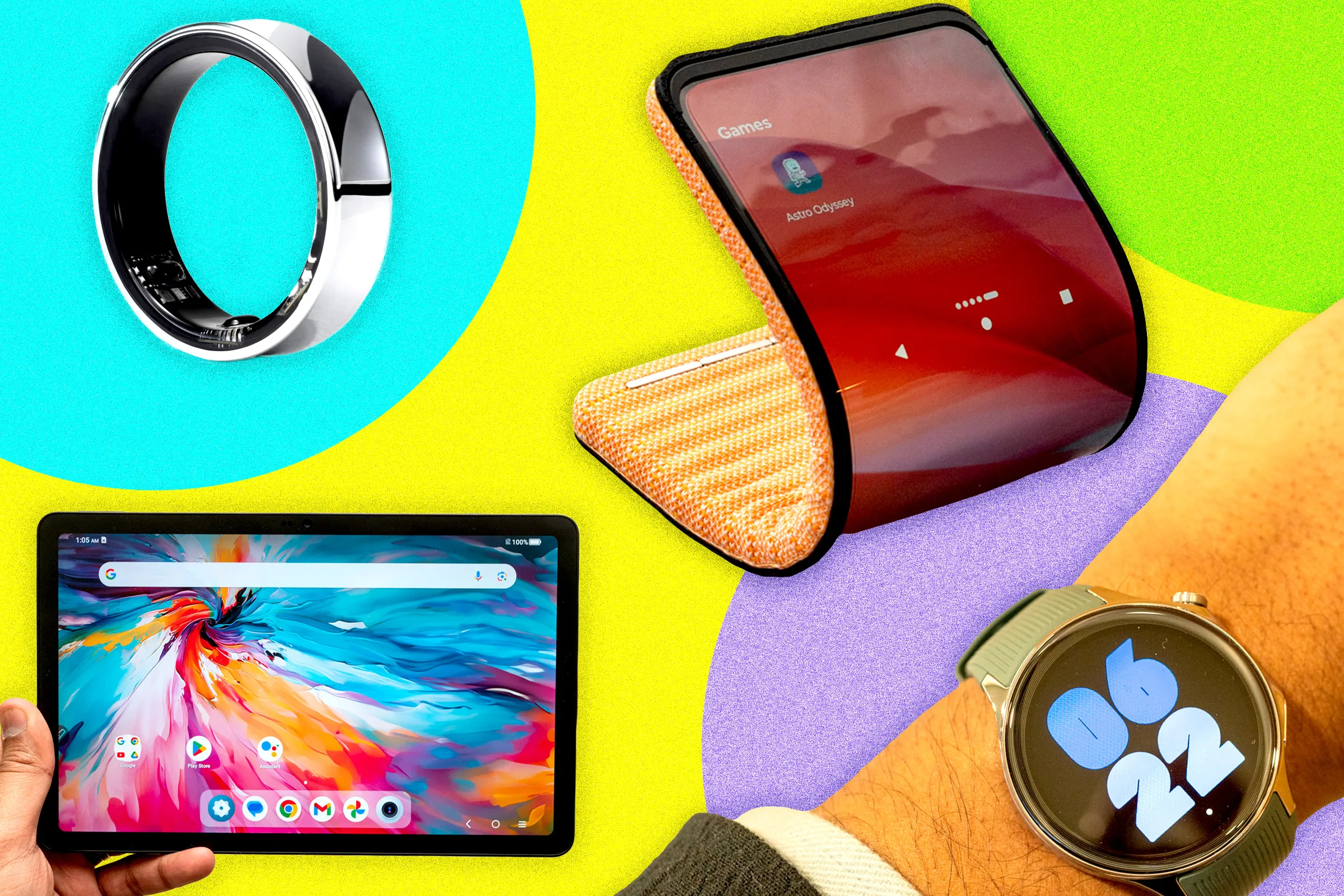
The modern world moves at a breakneck pace, and keeping up requires more than just ambition. Whether you’re a university student juggling lectures, research, and a social life, or a seasoned professional navigating a demanding career, the right technology is no longer a luxury—it’s a necessity. The landscape of Mobile & Gadgets for Students and Professionals is vast and constantly evolving, making it challenging to discern between what’s genuinely useful and what’s just a shiny distraction. This comprehensive guide cuts through the noise to provide a detailed, well-researched look at the essential mobile devices and gadgets that can significantly enhance productivity, foster well-being, and help you achieve your goals in both academic and professional settings.
From the core powerhouse—your primary laptop—to the subtle yet impactful accessories that make daily life easier, we will explore the must-have tech for the modern student and professional. We’ll cover the key considerations for choosing the right device for your specific field, explain the specs you actually need to care about, and provide actionable advice on building a tech ecosystem that works for you. This isn’t just a list of products; it’s a guide to making informed decisions that will boost your efficiency and support your long-term success.
The Foundation: Choosing the Right Core Device
The cornerstone of any productive individual’s tech arsenal is their primary computing device. For most, this is a laptop, but for some, a powerful tablet may be the better choice. Your selection should be driven by your specific needs, particularly your field of study or profession, as performance requirements can vary wildly. Research indicates that a student’s course of study is a major factor in choosing their primary device, with a significant majority stating this as an important factor. For instance, a liberal arts major primarily working with documents might not need the same processing power as a graphic design student running complex rendering software.
Laptops vs. Tablets: A Critical Choice
This is the foundational decision when selecting Mobile & Gadgets for Students and Professionals. Laptops generally offer the full power and functionality of a desktop operating system, making them ideal for multitasking, writing extensive papers, running complex software, and handling intensive computational tasks. On the other hand, tablets like the iPad Pro and Samsung Galaxy Tab series are celebrated for their portability, intuitive touch interfaces, and the power of stylus-based note-taking. Many students find a tablet paired with a keyboard is sufficient for daily tasks, providing the benefits of a tablet with the functionality of a laptop.
Key Considerations:
Field of Study or Work:
-
Liberal Arts, Business, and Research-Heavy Fields: A lightweight laptop that is powerful enough for writing, research, and presentations is ideal. Battery life is a key factor for long days on campus or in meetings.
-
STEM Fields (Science, Technology, Engineering, Math): You will likely need a high-performance laptop with ample RAM (16GB is a good baseline), a powerful CPU, and solid-state storage (SSD) for running simulations, modeling, and development tools.
-
Design and Media Fields: Working with high-resolution video, large photo files, and sophisticated design applications demands a robust machine. Prioritize laptops with powerful CPUs, a minimum of 16GB of RAM (32GB preferred), and substantial SSD storage (512GB to 1TB). The Apple M-series chips and devices like the MacBook Pro are popular choices for this field.
Key Specs to Evaluate:
| Specification | Minimum Requirement | Recommended for Power Users |
|---|---|---|
| RAM | 8GB | 16GB – 32GB |
| Storage | 256GB SSD | 512GB – 1TB SSD |
| Battery Life | 8 hours | 10+ hours |
| Screen Size | 13 inches | 14-16 inches |
-
RAM (Random Access Memory): This determines how many programs you can run smoothly at once. 8GB is a starting point for basic tasks, but 16GB is highly recommended for most users, and power users may need 32GB or more.
-
Storage (SSD): A Solid-State Drive is non-negotiable for speed. 256GB is the bare minimum, while 512GB or 1TB is needed for storing large files like video projects. Consider a portable SSD for backing up important projects.
-
Battery Life: This is paramount for students and professionals who move around. Look for devices known for all-day battery life to avoid being tethered to an outlet.
-
Portability: Lighter is better for carrying across campus or between meetings, but do not sacrifice performance for weight if your work demands it.
Operating System Considerations
The choice between Windows, macOS, and ChromeOS is another crucial factor in selecting your core device.
-
Windows: Offers the broadest software compatibility, making it the go-to choice for business, engineering, and gaming. It provides maximum flexibility in terms of hardware options and price points.
-
macOS: Preferred by creative professionals for its optimized performance with design software and its seamless integration with other Apple devices. The ecosystem benefits are significant if you already use an iPhone or iPad.
-
ChromeOS: Ideal for students and professionals whose primary work is web-based. Chromebooks are affordable, secure, and offer excellent battery life, making them perfect for research, writing, and collaboration using Google Workspace.
Smartphones: The Hub of Your Digital Life
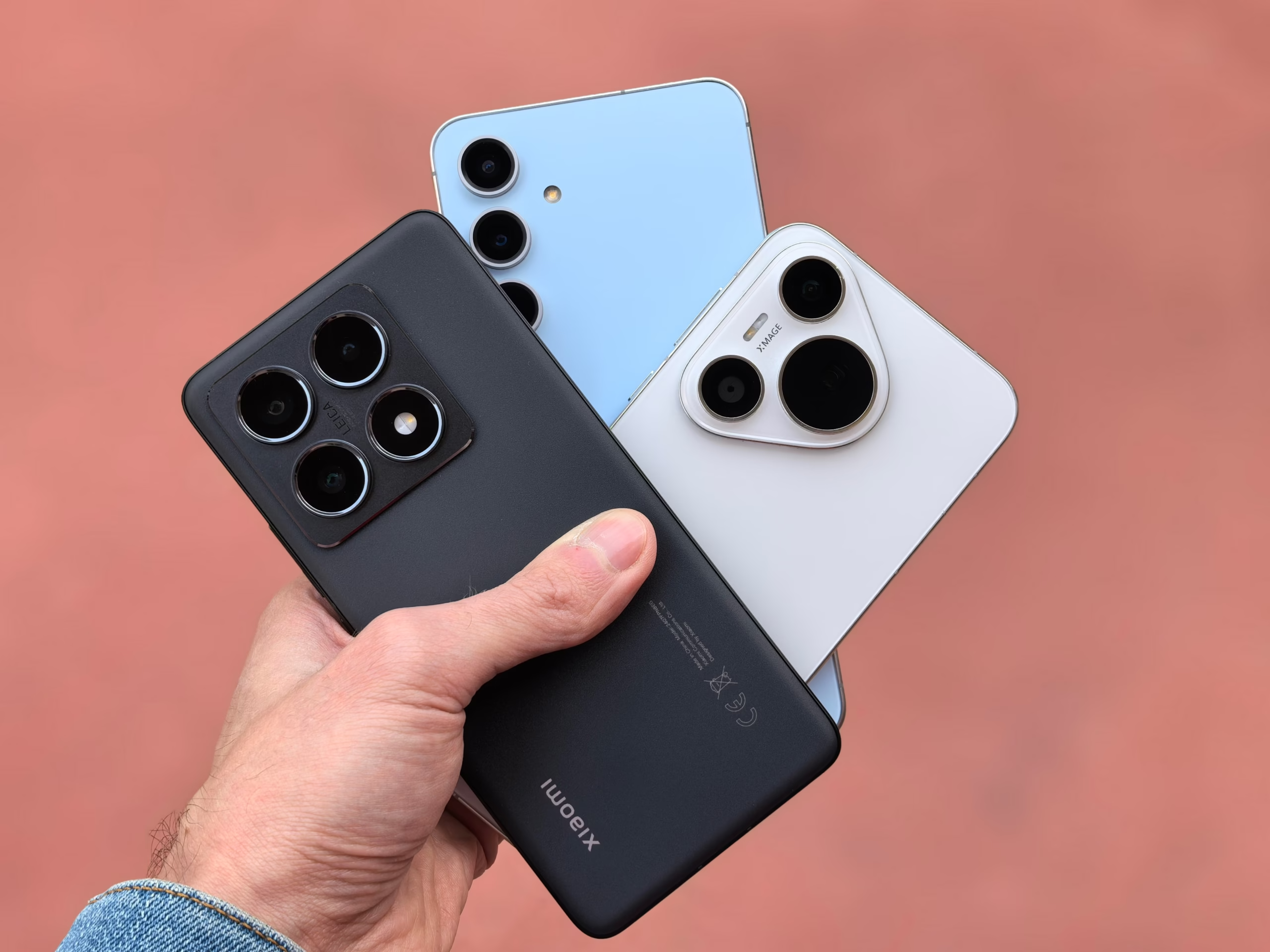
No discussion of Mobile & Gadgets for Students and Professionals would be complete without addressing the smartphone. It is the central hub of your digital ecosystem, connecting you to your work, studies, and social world. The right smartphone can dramatically enhance your productivity and help you stay organized.
Essential Smartphone Features
Camera Quality for Document Scanning and Note-Taking:
Modern smartphones feature cameras capable of high-quality document scanning. Features like optical character recognition (OCR) allow you to scan printed text and convert it to editable digital text, which is invaluable for students and professionals alike. When choosing a smartphone, consider the camera’s ability to capture sharp, clear images in various lighting conditions.
Battery Life and Fast Charging:
With constant use throughout the day, battery life is one of the most critical features to consider. A smartphone that can last through a full day of moderate to heavy use is essential, especially for students who may be away from power outlets for extended periods. Fast charging capabilities, such as those offered by GaN (Gallium Nitride) chargers, can provide a significant power boost in a short amount of time, making them invaluable during busy days.
Storage Capacity:
With apps, photos, documents, and media files taking up space, ample storage is crucial. Consider a smartphone with at least 128GB of storage, and consider cloud storage options like iCloud, Google Drive, or Dropbox to supplement physical storage and provide automatic backups of your important files.
Ecosystem Integration:
For seamless productivity, consider how well your smartphone integrates with your other devices. Apple users benefit from the tight integration between iPhones, MacBooks, and iPads, allowing for features like AirDrop, Handoff, and Universal Clipboard. Android users have similar benefits with Google’s ecosystem and integration with Windows through features like Phone Link.
Top Smartphone Recommendations
| User Type | Recommended Smartphone | Key Features |
|---|---|---|
| Apple Ecosystem Users | iPhone 15/16 Series | Seamless integration, excellent camera, long battery life |
| Android Enthusiasts | Samsung Galaxy S Series | Powerful multitasking, excellent display, advanced camera |
| Budget-Conscious | Google Pixel A Series | Great camera, pure Android experience, good value |
| Power Users | Samsung Galaxy Z Fold Series | Multitasking with large screen, premium specs |
Productivity-Boosting Gadgets
Beyond your core laptop and smartphone, there are numerous gadgets that can significantly enhance your productivity. These devices are designed to make your workflow smoother, more efficient, and more comfortable.
Portable Monitors: Expand Your Screen Real Estate
A second screen is a proven productivity booster. It allows you to reference research on one screen while writing on another, or keep your email open while working on a presentation. This is especially valuable for students who need to have multiple documents and research sources open simultaneously.
Benefits of Portable Monitors:
-
Enhanced multitasking capabilities
-
Reduced need to switch between applications constantly
-
Improved workflow for data analysis and comparison
-
Better collaboration when working in groups
When choosing a portable monitor, consider:
-
Connectivity: USB-C connectivity is ideal as it can power the monitor and transmit video through a single cable.
-
Weight and Size: A lightweight, slim design makes it easy to carry in your backpack.
-
Resolution: 1080p is sufficient for most tasks, but 4K monitors are available for those requiring higher detail.
-
Brightness: A screen with at least 250-300 nits of brightness ensures visibility in most indoor environments.
Common Use Cases:
-
Students: Having lecture notes on one screen while writing an essay on the other.
-
Researchers: Displaying data on one screen while composing the analysis on the other.
-
Professionals: Keeping email and communication apps open while working on documents or presentations.
-
Programmers: Having code on one screen and debugging tools or documentation on the other.
Laptop Stands and Ergonomic Accessories
Working for hours on a single laptop screen is not only limiting but can also lead to poor posture. A simple laptop stand can transform your laptop into a more ergonomic workstation.
Benefits of Laptop Stands:
-
Raises the screen to eye level, reducing neck strain
-
Improves airflow and cooling for your laptop
-
Creates a more professional-looking workspace
-
Many are lightweight and foldable for portability
Choosing the Right Stand:
-
Adjustability: Look for stands with multiple height and angle adjustments.
-
Portability: Lightweight and foldable designs are best for students and professionals on the go.
-
Stability: Ensure the stand can securely hold your laptop without wobbling.
-
Material: Aluminum stands are durable and lightweight, while plastic stands are more affordable.
External Keyboards and Mice
For extended typing sessions, an external keyboard and mouse can significantly improve comfort and efficiency.
Benefits of External Keyboards:
-
More comfortable typing experience, especially for long documents
-
Better ergonomics with adjustable angles
-
Often quieter than built-in laptop keyboards
-
Some models offer programmable shortcuts and backlit keys
Benefits of External Mice:
-
More precise cursor control than trackpads
-
Reduced wrist strain with ergonomic designs
-
Additional buttons for productivity shortcuts
Wireless vs. Wired:
-
Wireless: Offers freedom of movement and reduces cable clutter. Bluetooth connections preserve USB ports.
-
Wired: Generally more reliable with no lag, no need to charge batteries, and often more affordable.
Digital Notebooks and Smart Pens
For those who prefer handwriting to typing, digital notebooks and smart pens offer the best of both worlds.
Digital Notebooks:
-
Remarkable Tablet: Provides a paper-like writing experience without the distractions of a full tablet.
-
Rocketbook: Allows you to write in a reusable notebook and scan your notes to the cloud using your smartphone.
-
iPad with Apple Pencil: Offers powerful note-taking apps with handwriting recognition and organization features.
Smart Pens:
-
Livescribe Smartpen: Records audio while you take notes, synchronizing your handwriting with the audio recording.
-
Neo Smartpen: Digitizes your handwriting in real-time using a special notebook.
-
Wacom Bamboo Ink: Works with Windows Ink and provides a natural writing experience on compatible devices.
Power Management Solutions
A reliable power setup is often the most overlooked, yet most critical, part of a student’s or professional’s tech kit. Dorm rooms and even office spaces are notoriously short on conveniently located power outlets, and relying on a single charger is a recipe for frustration.
Multi-Port Charging Stations
A high-quality multi-port charging station is a game-changer in the world of Mobile & Gadgets for Students and Professionals. Look for one with GaN (Gallium Nitride) technology, which allows for fast, efficient charging without the bulk.
Benefits of GaN Charging Stations:
-
Faster charging speeds compared to traditional chargers
-
Smaller and lighter design
-
Multiple ports for charging multiple devices simultaneously
-
Intelligent power distribution to optimize charging for each device
What to Look For:
-
Total Power Output: At least 65W for laptop charging capability
-
Port Types: USB-C and USB-A ports for compatibility with various devices
-
Power Distribution: Smart power allocation that prioritizes devices based on their needs
-
Safety Features: Overcharge protection, temperature control, and surge protection
Power Banks for On-the-Go Charging
For those long days away from power outlets, a high-capacity power bank is essential.
Key Features to Consider:
-
Capacity: Measured in mAh (milliamp-hours). For students and professionals, look for 10,000mAh or higher, which can charge most smartphones 2-3 times.
-
Output Power: At least 18W for fast charging smartphones, and 65W+ for laptop charging capability.
-
Input Power: Faster input means the power bank itself charges more quickly.
-
Ports: Multiple USB-A and USB-C ports for charging various devices.
-
Pass-Through Charging: Allows you to charge the power bank and your devices simultaneously.
-
Size and Weight: Consider portability, especially if you’ll be carrying it in your bag daily.
Long, Durable Cables
Standard cables are often too short for comfort, forcing you to contort into awkward positions to use your device while charging. Invest in long (6-10 foot) cables.
Cable Durability Tips:
-
Look for cables with braided nylon exteriors for increased durability.
-
Choose cables with reinforced connectors to prevent fraying at the connection points.
-
Consider right-angle connectors for better cable management in tight spaces.
-
For mixed device households, consider universal USB-C to USB-C cables that support up to 100W of power.
Cable Management Solutions
With multiple devices come multiple cables, leading to desk clutter that can be distracting and unprofessional.
Cable Management Tips:
-
Cable Organizers: Use cable clips, sleeves, or ties to keep cables neatly organized.
-
Under-Desk Trays: Attach a tray under your desk to hide power strips and excess cable length.
-
Label Cables: Label the ends of cables so you know which device they belong to.
-
Cable Management Boxes: Hide power strips and chargers in stylish boxes that blend with your desk decor.
Audio Solutions for Focus and Communication
High-quality audio is not just for entertainment; it’s a crucial tool for focus and concentration. Noise-canceling technology can instantly transform a noisy coffee shop into a quiet study environment.
Noise-Canceling Headphones: The Focus Superpower
The ability to create a “focus bubble” in any environment is a superpower. Modern noise-canceling headphones are essential for students and professionals alike.
Types of Noise Cancellation:
| Type | Description | Best For |
|---|---|---|
| Passive Noise Isolation | Physical blocking of sound through ear cup design | Blocking high-frequency sounds like voices |
| Active Noise Cancellation (ANC) | Uses microphones to create anti-noise waves | Blocking low-frequency sounds like engine noise |
| Hybrid ANC | Combines feedforward and feedback ANC | Most effective overall noise cancellation |
| Adaptive ANC | Adjusts noise cancellation based on environment | Varying environments like commuting and office work |
Key Features to Consider:
-
Audio Quality: Look for balanced sound with clear highs, mids, and lows.
-
Battery Life: At least 20 hours of battery life with ANC enabled.
-
Comfort: Over-ear designs generally offer the best comfort for extended wear.
-
Connectivity: Multi-device pairing allows you to switch between devices seamlessly.
-
Transparency Mode: Allows you to hear your surroundings when needed.
-
Sound Customization: Some headphones offer EQ adjustments for personalized sound.
Top Recommendations:
-
For the Audiophile and Focus-Seeker: The Sony WH-1000XM series are a top-tier choice, offering best-in-class noise cancellation, rich sound quality, and deep bass. These are perfect for long study sessions or blocking out distracting office chatter.
-
For Apple Users: AirPods Max offers seamless integration with Apple devices and excellent sound quality.
-
For the Budget-Conscious Student: There are excellent, more affordable options that provide decent environmental noise cancellation, punchy bass, and impressive battery life, making them ideal for daily commutes and study sessions.
-
For the Active Professional: Consider sport-focused headphones with sweat resistance and secure fit.
Earbuds for Ultimate Portability
For those who prefer a more discreet audio solution, wireless earbuds are an excellent choice.
Benefits of Wireless Earbuds:
-
Ultra-portable with compact charging cases
-
Ideal for on-the-go listening and calls
-
Often sweat and water-resistant
-
Many offer decent noise cancellation
Key Considerations:
-
Fit and Comfort: Secure fit is essential for good sound and comfort.
-
ANC Performance: Varies significantly between models.
-
Battery Life: Typically 5-8 hours per charge with additional charges from the case.
-
Call Quality: Look for earbuds with good microphone arrays for clear calls.
Speakers for Collaboration and Entertainment
For group study sessions, office meetings, or casual entertainment, a good speaker can be a valuable addition.
Smart Speakers:
-
Google Nest Hub or Amazon Echo Show: These smart displays can serve multiple functions, acting as a smart alarm clock, a photo frame, a source of background music, and a central hub for controlling smart home devices.
-
Google Nest Mini or Amazon Echo Dot: Compact speakers for voice-controlled music and information.
Portable Bluetooth Speakers:
-
JBL Flip Series: Good balance of portability, sound quality, and durability.
-
Ultimate Ears BOOM: Offers 360-degree sound and excellent durability.
-
Sony XB Series: Extra bass for those who want more punch in their music.
Wearable Technology for Wellness and Productivity
Wearable technology, such as smartwatches and fitness bands, has evolved beyond step counting. They are now powerful tools for managing stress, tracking health metrics, and staying connected without being glued to your phone.
Fitness Trackers and Smartwatches
For professionals and students juggling demanding schedules, monitoring health is crucial. These devices can help you stay on top of your physical and mental well-being.
Essential Health Monitoring Features:
-
Heart Rate Tracking: Continuous monitoring helps you understand your cardiovascular health.
-
Sleep Tracking: Understand your sleep patterns and improve sleep quality.
-
Activity Tracking: Steps, distance, and active minutes tracking to encourage movement.
-
Stress Tracking: Monitors stress levels and offers breathing exercises.
-
Menstrual Cycle Tracking: Important for women’s health and well-being.
Fitness Bands vs. Smartwatches:
| Feature | Fitness Bands | Smartwatches |
|---|---|---|
| Price | More affordable | Higher cost |
| Battery Life | Typically longer (5-14 days) | Usually shorter (1-3 days) |
| Display | Small, simple display | Larger, more colorful display |
| Functionality | Focus on fitness tracking | Full smart features, apps, payments |
| Style | Sporty, functional | More fashionable and customizable |
Top Recommendations:
-
Fitness Bands: An affordable and effective entry point that tracks steps, heart rate, and sleep patterns, encouraging healthy habits with its long battery life and unobtrusive design.
-
Advanced Smartwatches: For deeper health and fitness tracking, devices that provide detailed metrics for a wide variety of activities, from running to cycling, and offer features for stress tracking, making them ideal for fitness enthusiasts with busy lives.
-
Apple Watch: Offers the best integration with Apple ecosystem, with features like ECG, fall detection, and comprehensive health tracking.
-
Samsung Galaxy Watch: Great for Android users, with comprehensive health tracking and rotating bezel interface.
-
Garmin Watches: Excellent for serious athletes and outdoor enthusiasts, with specialized features for various sports.
Productivity Features of Wearables
Beyond health tracking, modern wearables offer several productivity-enhancing features:
-
Notification Management: Glance at important notifications without reaching for your phone.
-
Calendar Integration: Quick view of upcoming appointments and events.
-
Voice Assistants: Set reminders, send messages, or get quick answers hands-free.
-
Remote Camera Control: Use your watch to control your phone’s camera.
-
Find My Phone: Locate your misplaced smartphone.
-
Mobile Payments: Pay for purchases directly from your wrist.
Smart Rings
A newer category in wearable technology, smart rings offer a discreet way to track health and activity.
-
Oura Ring: Offers comprehensive sleep tracking, activity monitoring, and readiness scores.
-
Circular Ring: Provides similar features with a focus on sleep and recovery.
-
Ultrahuman Ring: Offers continuous monitoring and actionable insights.
Data Security and Backup Solutions
Losing a critical presentation or assignment to a hard drive failure or a spilled coffee is a nightmare scenario. A robust backup strategy is non-negotiable.
Cloud Storage Solutions
Services like iCloud, Google Drive, and Dropbox offer seamless, automatic backups that are accessible from any device. While many devices come with a baseline of free storage, you will likely need to upgrade to a paid plan for sufficient capacity.
Benefits of Cloud Storage:
-
Automatic Backups: Set it and forget it peace of mind.
-
Accessibility: Access files from any device with internet connectivity.
-
File Sharing: Easily share files with others for collaboration.
-
Version History: Recover older versions of files if needed.
-
Security: Enterprise-grade encryption protects your data.
Comparing Cloud Storage Providers:
| Service | Free Storage | Paid Plans Starting At | Best For |
|---|---|---|---|
| Google Drive | 15GB | $1.99/month for 100GB | Google Workspace users |
| iCloud | 5GB | $0.99/month for 50GB | Apple users |
| Microsoft OneDrive | 5GB | $1.99/month for 100GB | Microsoft Office users |
| Dropbox | 2GB | $9.99/month for 2TB | File sharing and collaboration |
External SSD Storage
A portable SSD is a powerful addition for professionals and students who handle large files. An SSD is faster, more resilient, and more reliable than older, mechanical hard drives. Look for one with an IP rating for dust and splash resistance to protect your data from the rigors of daily life.
Benefits of External SSDs:
-
Speed: Transfer files at speeds up to 10Gbps or more.
-
Durability: No moving parts makes them more shock-resistant.
-
Portability: Compact and lightweight for easy carrying.
-
Reliability: Lower failure rates compared to mechanical HDDs.
Choosing an External SSD:
-
Capacity: 512GB is a good starting point; 1TB is better for those with large files.
-
Speed: USB 3.2 Gen 2 (10Gbps) offers excellent speed; Thunderbolt is faster but more expensive.
-
Connectivity: USB-C is the most versatile and future-proof connection.
-
Durability: Look for models with IP ratings and rubber bumpers for protection.
-
Encryption: Some models offer hardware encryption for added security.
Password Management
In the digital age, security is paramount. A password manager helps you maintain strong, unique passwords for all your accounts without needing to remember them all.
Benefits of Password Managers:
-
Generate Strong Passwords: Create complex, unique passwords for every account.
-
Secure Storage: All passwords are stored in an encrypted vault.
-
Autofill: Automatically fill in login details on websites and apps.
-
Sync Across Devices: Access your passwords from all your devices.
-
Security Audits: Alert you to weak or reused passwords.
-
Two-Factor Authentication (2FA) Support: Some can store 2FA codes as well.
Popular Password Managers:
-
Bitwarden: Open-source, free, and highly secure.
-
1Password: Excellent user experience and family sharing features.
-
NordPass: Good balance of security and usability.
-
Dashlane: Includes a VPN with premium plans.
Two-Factor Authentication (2FA)
Adding a second layer of authentication to your accounts significantly improves security.
Types of 2FA:
-
SMS Codes: Simpler but less secure due to SIM swapping risks.
-
Authenticator Apps: Google Authenticator, Microsoft Authenticator, or Authy.
-
Hardware Tokens: YubiKey or similar physical devices.
-
Biometrics: Fingerprint or face recognition.
Implementing 2FA:
-
Enable 2FA on all critical accounts (email, cloud storage, banking).
-
Use authenticator apps over SMS when possible.
-
Store backup codes in a secure location.
-
Consider hardware tokens for the highest security.
Gadgets for Smart Home and Office Setups
A smart and comfortable environment is key to sustained productivity. Simple gadgets can make a significant difference in your focus and work quality.
Smart Lighting
Proper lighting can reduce eye strain, improve mood, and create an environment conducive to productivity.
Benefits of Smart Lighting:
-
Adjustable Brightness: Set the perfect light level for any task.
-
Color Temperature: Cool light for focus, warm light for relaxation.
-
Automated Schedules: Lights that turn on and off based on your routine.
-
Voice Control: Adjust lighting without leaving your workspace.
-
Scene Setting: Create different lighting scenes for different activities.
Smart Desk Lamps:
A smart desk lamp can reduce eye strain and create a calming atmosphere. Look for lamps with features like automatic brightness adjustment and adjustable color temperatures, perfect for late-night study sessions or early morning work.
Smart Bulbs:
-
Philips Hue: The most comprehensive smart lighting ecosystem.
-
LIFX: Good color reproduction with no hub required.
-
Wyze Bulbs: Affordable option with good features.
-
IKEA Trådfri: Budget-friendly smart lighting.
Climate Control
A comfortable room temperature can significantly impact your ability to focus and work effectively.
Air Circulation and Cooling:
A quiet, efficient fan can keep your workspace cool and comfortable without being a distraction, helping you maintain focus during long working hours. Look for fans with quiet operation, adjustable speeds, and energy efficiency.
Smart Thermostats:
-
Nest Thermostat: Learns your schedule and adjusts temperature automatically.
-
Ecobee: Includes remote room sensors for balanced temperatures.
-
Honeywell Home: Good integration with other smart home systems.
Smart Plugs and Power Management
Smart plugs allow you to control devices remotely, set schedules, and monitor energy usage.
Benefits of Smart Plugs:
-
Remote Control: Turn devices on and off from anywhere.
-
Scheduling: Set devices to turn on or off at specific times.
-
Energy Monitoring: Track how much energy devices are using.
-
Integration: Works with voice assistants and smart home systems.
Use Cases:
-
Turn off lights and fans automatically when leaving.
-
Schedule your coffee maker to start in the morning.
-
Monitor energy usage of power-hungry devices.
-
Create “I’m home” scenes that turn on multiple devices.
Smart Displays for Information and Entertainment
A smart display can be an excellent addition to your workspace for quick information access and entertainment.
Features of Smart Displays:
-
Voice-activated information (weather, news, calendar).
-
Video calling capabilities.
-
Streaming entertainment (music, videos, podcasts).
-
Smart home control hub.
-
Digital photo frame and alarm clock.
Popular Options:
-
Google Nest Hub: Good for Google users with smart home controls.
-
Amazon Echo Show: Strong integration with Alexa and Amazon services.
-
Lenovo Smart Display: Offers a larger screen for video calls and streaming.
Budget-Friendly Gadget Picks
Not everyone can afford the latest premium devices. Here are some budget-friendly options that still provide excellent value.
Affordable Laptops and Chromebooks
For students and professionals who primarily work in the cloud, Chromebooks offer an affordable and functional solution.
Benefits of Chromebooks:
-
Affordable Price: Generally $200-$500 range.
-
Good Battery Life: Often 10+ hours.
-
Security: Automatic updates and virus protection.
-
Simplicity: Easy to use with minimal setup.
Recommended Models:
-
Acer Chromebook 315: Large screen with good performance.
-
Lenovo Chromebook Duet: 2-in-1 with detachable keyboard.
-
Asus Chromebook Flip: Convertible with touchscreen.
Budget Headphones and Earbuds
You don’t need to spend hundreds to get good audio quality.
Recommended Budget Options:
-
Soundcore Anker Life Q20: Good noise cancellation at a budget price.
-
Tozo T6 Earbuds: Affordable true wireless earbuds.
-
JBL Tune 500: Over-ear headphones with decent sound.
-
MPOW H7: Budget noise-canceling headphones.
Affordable Accessories
-
USB-C Hubs: Provide additional ports for under $50.
-
Laptop Stands: Aluminum folding stands for $20-$40.
-
Wireless Mice: Budget options from Anker and Logitech.
-
Screen Protectors: Protect devices without breaking the bank.
Comparison Table: Essential Gadgets Overview
| Gadget Category | Best For Students | Best For Professionals | Budget-Friendly Option |
|---|---|---|---|
| Laptop | MacBook Air, Dell XPS 13 | MacBook Pro, ThinkPad X1 | Acer Aspire, Chromebook |
| Tablet | iPad Air, Samsung Galaxy Tab | iPad Pro, Microsoft Surface | Lenovo Tab M10 |
| Smartphone | iPhone 15, Google Pixel 7a | iPhone 15 Pro, Galaxy S24 | Motorola G Series |
| Headphones | Sony WH-1000XM5, AirPods Pro | Sony WH-1000XM5, Bose 700 | Soundcore Life Q30 |
| Monitor | ASUS ZenScreen MB249C | Dell UltraSharp Portable | Arzopa Portable Monitor |
| Charging Station | Ugreen 100W GaN | Anker 735 GaN | Baseus 65W GaN |
| Power Bank | Anker 533 Power Bank | Anker 737 Power Bank | INIU 10000mAh |
| Smartwatch | Apple Watch SE, Galaxy Watch | Apple Watch Ultra, Garmin | Xiaomi Smart Band |
Common Mistakes to Avoid When Buying Tech
1. Buying the Latest Model Unnecessarily
Technology advances quickly, but the latest model is rarely necessary. Often, the previous generation offers excellent performance at a significantly lower price.
What to Do Instead:
-
Research whether the latest features are essential for your needs.
-
Consider refurbished models from reputable sellers.
-
Look for deals on last year’s models when new ones release.
2. Ignoring Ergonomics
Focusing solely on performance while ignoring ergonomic accessories can lead to health issues like back pain, eye strain, and carpal tunnel syndrome.
What to Do Instead:
-
Budget for ergonomic accessories like laptop stands and external keyboards.
-
Take regular breaks and practice good posture.
-
Consider blue light filtering glasses if you spend extended hours on screens.
3. Skimping on Storage
Opting for the minimum storage to save money often leads to frustration and the need for workarounds later.
What to Do Instead:
-
Consider your long-term storage needs.
-
Remember that software updates and files accumulate over time.
-
Consider a mid-range storage option that allows for future needs.
4. Overlooking Portability
Choosing a powerful but heavy laptop or large tablet may seem logical, but portability is crucial for students and professionals who move around.
What to Do Instead:
-
Consider how often you’ll carry the device.
-
Look for lightweight options that still meet performance needs.
-
Think about the bag you’ll use and whether it can comfortably accommodate the weight.
5. Forgetting About Battery Life
High-performance devices often have shorter battery life, which can be a significant problem if you’re away from power outlets.
What to Do Instead:
-
Check battery life reviews for real-world usage.
-
Consider a power bank for extended time away from outlets.
-
Look for laptops with fast-charging capabilities.
6. Not Considering Ecosystem Integration
Buying devices that don’t work well together can create inefficiencies.
What to Do Instead:
-
Consider staying within the same ecosystem (Apple, Google, or Microsoft).
-
Ensure devices have compatible features (e.g., continuity features).
-
Think about how your devices will interact for file sharing and app continuity.
7. Underestimating the Importance of a Good Internet Connection
Even the best devices are limited by a poor internet connection, especially for cloud-based work.
What to Do Instead:
-
Invest in a good router for your primary workspace.
-
Consider a portable hotspot or good mobile data plan.
-
Choose devices with Wi-Fi 6 compatibility for future-proofing.
Expert Tips for Maximizing Your Tech Investment
1. Create a Tech Ecosystem
Your devices should work together to create a seamless workflow. This means choosing devices that share a common ecosystem (Apple, Google, or Microsoft) or ensuring compatibility through universal standards like USB-C.
How to Build an Ecosystem:
-
Primary Device: Laptop or tablet as your main workstation.
-
Secondary Device: Smartphone for on-the-go connectivity.
-
Accessories: Headsets, keyboards, and mice that work across your devices.
-
Cloud Storage: Use one provider for all your file syncing needs.
-
Communication: Use consistent apps and services across devices.
2. Prioritize Security from Day One
With important work and personal data on your devices, security should be a top priority.
Essential Security Steps:
-
Use a password manager and create strong, unique passwords.
-
Enable two-factor authentication on all critical accounts.
-
Keep all software updated with the latest security patches.
-
Use encryption on your devices and external storage.
-
Be cautious with public Wi-Fi and use a VPN when necessary.
3. Learn to Use Your Tools Effectively
Having the right gadgets is only half the battle; knowing how to use them effectively is what sets productive people apart.
Ways to Improve Usage:
-
Watch tutorials and tip videos for your devices.
-
Learn keyboard shortcuts for your primary applications.
-
Explore lesser-known features in your productivity software.
-
Join online communities and forums for your devices.
-
Attend workshops or online courses for specific software.
4. Establish a Regular Maintenance Routine
Regular maintenance can extend the life of your devices and keep them running smoothly.
Maintenance Tasks:
-
Hardware: Clean dust from vents and keyboards regularly.
-
Software: Uninstall unused applications and update remaining ones.
-
Storage: Clean up old files and organize data regularly.
-
Batteries: Avoid letting batteries fully drain when possible.
-
Backups: Test your backup system periodically.
5. Consider Your Comfort and Well-being
Productivity isn’t just about having the right tools; it’s about using them in a way that supports your health and well-being.
Well-being Tips:
-
Use the 20-20-20 rule: Every 20 minutes, look at something 20 feet away for 20 seconds.
-
Set up your workspace to support good posture.
-
Use blue light filters in the evening to improve sleep.
-
Take regular breaks and move around to reduce physical strain.
-
Use your wearable technology to monitor and improve your health.
Conclusion
Building your personal tech ecosystem is a journey, not a destination. The world of Mobile & Gadgets for Students and Professionals is vast and ever-evolving, but the goal is simple: to create a setup that supports your work, well-being, and personal life. The “best” device is not the one with the highest specs, but the one that best fits your unique needs, workflow, and budget.
Start with a core device—a laptop or tablet—that is powerful enough to handle the demands of your field or major. For a student in a STEM field, this might mean prioritizing a laptop with high RAM and processing power. For a professional in a design-heavy role, a MacBook Pro with a powerful GPU and ample storage is likely the better choice. Don’t overlook the power of accessories; a quality laptop stand, a portable monitor, and a robust backup strategy can dramatically improve your daily experience and protect your hard work.
Remember that the goal is to create a tech setup that works for you. It should make you more productive and comfortable, not add another layer of complexity to your life. The most effective tech integrates seamlessly into your routine, allowing you to handle the intensive demands of your schedule without missing a beat. Make smart choices by understanding the specific needs of your major or career path, investing in quality where it counts, and building a reliable system for connectivity and data security. By doing so, you equip yourself not just for the challenges of today, but for the success of tomorrow.