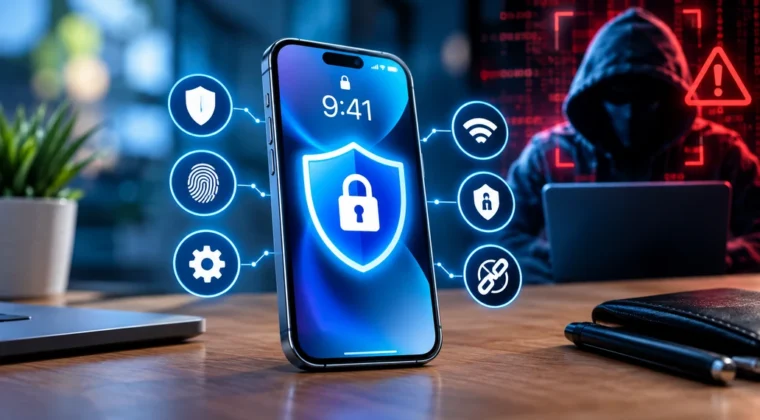
Smartphones have become the primary computing device for most people, storing everything from banking details and personal photos to work emails and private conversations. This makes them a prime target for hackers. Learning how to protect your smartphone from hackers is no longer optional — it’s essential digital hygiene in 2026, as mobile-focused cyberattacks continue to grow more sophisticated.
This guide covers practical, actionable steps anyone can take to significantly reduce their risk of falling victim to smartphone hacking.
Why Smartphones Are Attractive Targets
Hackers target smartphones because they typically contain:
- Banking and payment app credentials
- Personal photos and sensitive documents
- Email accounts that can be used to reset passwords for other services
- Location data and personal contacts
- Access to two-factor authentication codes for other accounts
A compromised smartphone can therefore become a gateway to nearly every other aspect of a person’s digital life.
1. Keep Your Operating System and Apps Updated
Software updates frequently include critical security patches that fix vulnerabilities hackers actively exploit. To stay protected:
- Enable automatic updates for your phone’s operating system
- Regularly update all installed apps, especially banking and communication apps
- Avoid using devices that no longer receive security updates from the manufacturer
Delaying updates leaves known vulnerabilities open for attackers who specifically target unpatched devices.
2. Use a Strong Screen Lock and Biometric Security
Your lock screen is the first line of defense if your phone is lost or stolen. Best practices include:
- Using a strong PIN or alphanumeric passcode rather than a simple pattern
- Enabling biometric authentication like fingerprint or facial recognition as an additional layer
- Setting your phone to automatically lock after a short period of inactivity
- Enabling remote wipe capabilities in case your device is lost or stolen
3. Be Cautious with App Permissions
Many apps request more permissions than they actually need to function. Review permissions carefully by:
- Checking what data each app can access (location, camera, microphone, contacts)
- Revoking permissions for apps that don’t need them for core functionality
- Being especially cautious with apps requesting access to your microphone or camera without a clear reason
- Regularly auditing installed apps and removing ones you no longer use
Both iOS and Android now offer detailed permission management tools that make this process straightforward.
4. Only Download Apps from Official App Stores
Third-party app stores and sideloaded applications carry significantly higher risk of containing malware. To stay safe:
- Download apps exclusively from the official Google Play Store or Apple App Store
- Check app reviews and developer information before installing unfamiliar apps
- Be wary of apps with very few downloads or reviews, especially if they request unusual permissions
- Avoid clicking links that prompt you to install apps from outside official stores
5. Avoid Public Wi-Fi for Sensitive Activities
Public Wi-Fi networks are notoriously insecure and can allow attackers to intercept data. Protect yourself by:
- Avoiding banking or entering sensitive passwords while connected to public Wi-Fi
- Using a reputable VPN when you must connect to public networks
- Disabling automatic Wi-Fi connection to open networks
- Using your mobile data connection instead of public Wi-Fi when handling sensitive tasks
6. Recognize and Avoid Phishing Attempts
Phishing attacks increasingly target smartphones through text messages (known as “smishing”), emails, and even fake app notifications. Warning signs include:
- Urgent messages demanding immediate action, like account verification or payment
- Links from unknown senders, even if they appear to come from a trusted company
- Requests for personal information via text or email
- Messages with spelling errors or slightly altered company names in sender addresses
If you receive a suspicious message claiming to be from your bank or a service you use, contact the company directly through official channels rather than clicking any links provided.
7. Enable Two-Factor Authentication
Two-factor authentication (2FA) adds an essential extra layer of security for your accounts. Best practices include:
- Using an authentication app rather than SMS-based codes when possible, as SMS can be vulnerable to SIM-swapping attacks
- Enabling 2FA on all critical accounts, including email, banking, and social media
- Keeping backup codes stored securely in case you lose access to your authentication method
8. Be Careful with Bluetooth and NFC Settings
Wireless connectivity features can create additional attack surfaces if left enabled unnecessarily. To reduce risk:
- Turn off Bluetooth and NFC when not actively in use
- Avoid accepting unknown Bluetooth pairing requests
- Regularly review which devices are paired with your phone and remove unfamiliar ones
9. Back Up Your Data Regularly
While backups don’t directly prevent hacking, they ensure you can recover your information if your device is compromised or you need to perform a factory reset after an incident. Options include:
- Cloud backup services integrated into your phone’s operating system
- Regular backups to a computer or external storage
- Ensuring backups themselves are protected with strong passwords and, ideally, encryption
10. What to Do If You Suspect Your Phone Has Been Hacked
If you notice signs of compromise — such as unusual battery drain, unfamiliar apps, unexpected data usage, or strange text messages being sent from your phone — take these steps immediately:
- Disconnect from Wi-Fi and mobile data to limit further data transmission
- Run a security scan using a reputable mobile security app
- Change passwords for critical accounts from a different, trusted device
- Remove any unfamiliar or suspicious apps
- Consider a factory reset if the issue persists, after backing up essential data
- Contact your mobile carrier if you suspect SIM-swapping or unauthorized account changes
Frequently Asked Questions
Can iPhones get hacked, or is this only a concern for Android? Both iOS and Android devices can be targeted by hackers, though the specific vulnerabilities and attack methods can differ between platforms. No smartphone operating system is completely immune.
Is it safe to use fingerprint or face unlock? Yes, biometric authentication is generally considered secure and convenient, and it’s recommended as an additional security layer alongside a strong passcode.
How can I tell if a text message is a phishing attempt? Be suspicious of messages creating urgency, requesting personal information, or containing links from unknown senders — when in doubt, contact the organization directly through official channels rather than responding to the message.
Conclusion
Learning how to protect your smartphone from hackers involves a combination of good habits, cautious app management, and staying alert to phishing attempts. By implementing these steps consistently, you can significantly reduce your risk of falling victim to mobile cyberattacks in 2026. For more device security guidance, explore our Cybersecurity category and Mobile & Gadgets category on Today Tech Times.