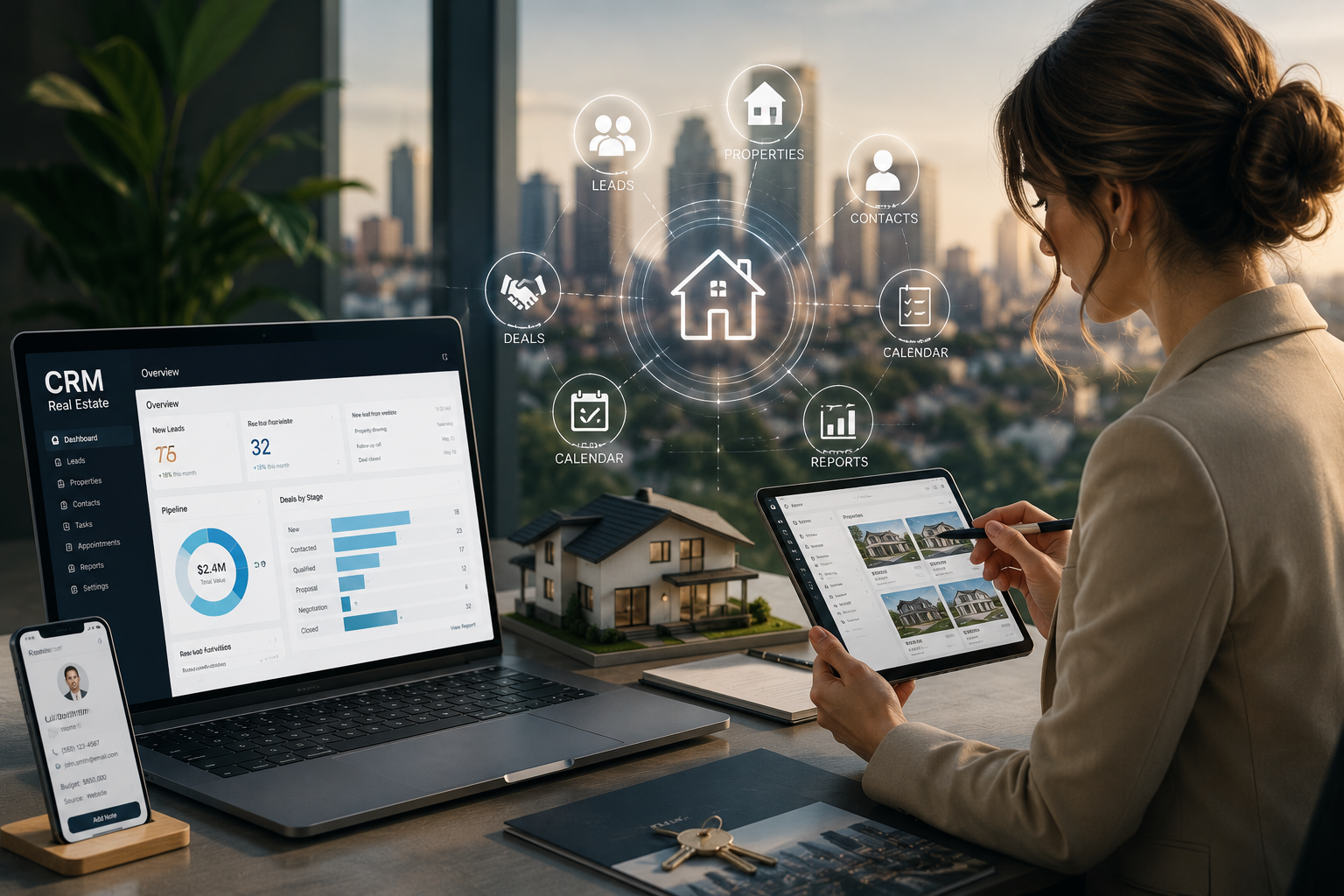
Imagine a world where you could access powerful software tools without buying expensive licenses, installing complex programs, or worrying about updates. That world is here, and it is powered by Software as a Service, commonly known as SaaS. From the email you check in the morning to the project management tools your team uses, SaaS has become the backbone of modern life.
Whether you are a budding entrepreneur, a student, or just someone curious about the technology that runs our world, understanding what is SaaS and how it works is essential in 2026. This comprehensive guide will walk you through everything you need to know in simple, easy-to-understand language, explaining the benefits, drawbacks, and exactly how these services function.
1. What Is SaaS? A Simple Explanation
What is SaaS? In plain terms, it is a way of delivering software over the internet. Instead of buying a CD or downloading a program to install on your computer, you access the software through a web browser or an app.
Think of it like listening to music. In the past, you might have bought a CD, which you owned forever, but you had to take care of it, and it only worked in a CD player. Now, you use a streaming service. You pay a monthly fee to access millions of songs from any device, anywhere. The streaming service handles all the technology, storage, and updates for you. That is essentially the SaaS model: you are “renting” the software and the infrastructure it runs on.
Key Characteristics of SaaS
To fully understand what is SaaS, it helps to know its core features.
-
Cloud-Based: The software and all your data live on the provider’s servers, known as “the cloud,” not on your local computer.
-
Subscription-Based: Instead of a one-time purchase, you typically pay a recurring fee (monthly or annually).
-
Accessible Anywhere: You can use the software from any device with an internet connection and a web browser.
-
Managed by Provider: The SaaS company handles all the maintenance, security, updates, and technical support.
-
Scalable: You can usually upgrade or downgrade your subscription plan as your needs change, often with a single click.
Understanding what is SaaS is the first step to realizing how it differs from the older, traditional way of buying software.
2. How Does SaaS Work: The Technical Side Made Simple
For the user, what is SaaS is a seamless experience—you just log in and go. But behind the scenes, a complex and brilliant system is at work.
The Architecture: Multi-Tenancy
Most SaaS providers use a model called multi-tenancy. Imagine a large apartment building. The building itself is the software and infrastructure, and each apartment is a “tenant” or customer. Everyone lives in the same building and uses the same basic plumbing and electricity, but each tenant’s apartment is private, secure, and has its own decor and furniture (data and settings).
This allows the provider to maintain one central version of the software for all users. When they release an update, it goes to everyone at once, making it incredibly efficient and cost-effective.
The User’s Perspective
Here is how the process looks from the point of view of a beginner trying to understand what is SaaS:
-
Subscribe: You find a SaaS provider and choose a subscription plan that fits your needs.
-
Access: You go to the provider’s website and log in using your credentials. For enterprise systems, your company might even use a single sign-on (SSO) service to streamline the process.
-
Use and Integrate: You use the software through your browser. Many SaaS products also have public APIs that allow them to “talk” to other business software you use, creating a seamless workflow.
-
Scale or Cancel: As your team grows, you can add more “seats” to your subscription. If you no longer need the service, you can cancel it.
3. SaaS vs. Traditional Software: What’s the Difference?
To truly grasp what is SaaS, it helps to compare it with the traditional software model, known as “on-premise.”
| Feature | SaaS (Cloud-Based) | On-Premise Software |
|---|---|---|
| Upfront Cost | Low. Usually a small setup fee or none at all. | High. A large capital expense for licenses and hardware. |
| Payment Model | Operational Expense (OpEx). Regular subscription fees. | Capital Expense (CapEx). A one-time purchase. |
| Maintenance & Support | Managed by the provider. Automatic updates and security patches. | Managed by the company’s internal IT team, which is a huge responsibility and cost. |
| Scalability | Highly flexible. Can add or remove users in minutes. | Difficult and time-consuming. Requires buying new hardware and licenses. |
| Accessibility | Accessible from anywhere with an internet connection. | Usually accessible only from within the company network (VPN required). |
| Updates | Instant and automatic for all users. | Manual. The company must schedule and install updates, often leading to delays. |
| Security | Often better. Providers have dedicated security teams and high-level protocols. | The company is fully responsible for its own security, which is risky. |
4. The Many Benefits of SaaS
The reason what is SaaS has become so dominant is the incredible value it offers. In fact, over 90% of modern enterprises rely on multiple SaaS applications for their daily operations.
Cost-Effectiveness
One of the most significant advantages is the low barrier to entry. What is SaaS without cost savings? There are no upfront hardware purchases or hefty software licensing fees. This is a game-changer for small and medium-sized businesses (SMBs) and startups with limited IT budgets. It also provides predictable monthly expenses, making budgeting much easier.
Accessibility and Flexibility
What is SaaS enables the modern, mobile workforce. You can work from home, a coffee shop, or on a business trip, and you will have the exact same access to your tools and data. The same applies to your device: you can use your office computer, a laptop, a tablet, or even your phone. This flexibility boosts productivity and supports remote and hybrid work models.
Automatic Updates and Scalability
You always have the latest version of the software. The provider manages all updates and security patches, often rolling them out behind the scenes without interrupting your work. Scaling your usage is just as simple. If your team grows from 10 to 20 people, you can upgrade your plan in minutes. This is much faster and more efficient than the traditional route of buying more software and hardware.
Enhanced Collaboration
Many SaaS tools are built with collaboration in mind. Multiple team members can work on the same document, project, or dataset simultaneously, seeing each other’s changes in real time. This eliminates the confusion of emailing file versions back and forth and ensures everyone is always on the same page.
Automatic Backups and Disaster Recovery
When you use SaaS, your data is regularly backed up by the provider as part of their service. If your local computer crashes or is lost, your data remains safe in the cloud. This built-in disaster recovery is a huge relief for businesses that cannot afford to lose critical information.
5. Potential Drawbacks and Considerations
While the benefits are immense, it is only fair to acknowledge some of the limitations of the SaaS model.
Internet Dependency
What is SaaS without a fast and reliable internet connection? Not much. Your ability to use the software is completely dependent on your internet access. If your connection is slow or goes down, you lose access to your tools and data. For businesses, a lengthy outage can mean a significant loss of productivity.
Data Security and Compliance
Your data is stored on the provider’s servers, not your own. While this can be a security advantage, it also introduces potential risks. You are trusting a third party with your sensitive business information. It is crucial to check the provider’s security certifications and ensure they are compliant with data privacy regulations.
Lack of Control and Potential for Long-Term Cost
Users have less control over the software’s features and update schedule. The provider decides what changes to make and when. You cannot “stick with the old version” if you prefer it. While the upfront cost is low, the ongoing subscription fees can add up over time. In some cases, the total cost of ownership over several years might exceed the price of a perpetual license for traditional software.
Vendor Lock-In
Migrating your data and workflows from one SaaS provider to another can be challenging and time-consuming. Once you have invested significant time and resources into a particular platform, switching to a competitor may feel like a daunting task. This is known as vendor lock-in.
6. The SaaS Customer Journey: From Sign-up to Cancellation
To truly understand the SaaS model, it helps to look at the full lifecycle of a customer. This process goes beyond just using the software.
Step 1: Discovery and Sign-up
For B2B (Business-to-Business) software, the journey often starts with a free trial or a “freemium” model. This is a key part of a strategy called Product-Led Growth (PLG), where the software sells itself. You can test the features before committing financially. A website, onboarding automation, and a free trial do the heavy lifting. For larger enterprise software, there is often a “high-touch” sales process involving demos, custom contracts, and sales teams.
Step 2: Onboarding and Usage
Once signed up, the focus shifts to getting the customer up and running. Good onboarding is essential to prevent early churn. The user configures the software, connects their data, and integrates it with other tools they use.
Step 3: The Cancellation Process: A Step-by-Step Guide
The cancellation process is as important as the sign-up process. A clean and transparent cancellation builds trust. Here is a typical step-by-step guide for what you as a customer should expect and what a provider should offer.
-
Initiation: You (the customer) must initiate the cancellation. This often involves contacting support or, in many modern SaaS products, accessing a “Subscription” or “Billing” tab in your account settings to cancel auto-renewal.
-
Confirm Scope: A good provider will confirm the scope of the cancellation with you. They will ask for your approval and clarify what will happen to your data. This should be a simple conversation: “We will export your data, revoke access, and stop your billing.”
-
Data Export (Your Right): The most critical step for the customer is getting their data back. The provider should allow you to export your data in a usable format, such as CSV or JSON. They should provide an inventory of what is included: “All records from Database A, all uploaded files, and transaction logs from January 1st.” This ensures you do not leave anything behind.
-
Revoke Access: The provider will then deactivate all your accounts and revoke access. This includes not just user logins, but also any API keys or “service accounts” that might be automating tasks.
-
Final Billing: The provider will stop any future charges. This may involve a final prorated invoice or a refund if you are canceling mid-cycle. It is vital to confirm this step in writing.
-
Account Deletion: The provider will, per your agreement, delete your data from their systems. There might be a retention period for legal or tax purposes, but they should be clear about this.
7. Key SaaS Metrics: How Companies Measure Success
For a business, building a successful SaaS is not just about having a great product. It is about managing the key metrics that ensure long-term health. These are important for you as a customer to know, as they often influence product improvements and pricing.
Churn Rate
This is the percentage of customers who cancel their subscription within a given period. A high churn rate is a major red flag. It indicates the product is not meeting user needs or the onboarding process is failing. In 2026, an acceptable churn rate for SMB SaaS is around 5% to 7%.
Customer Acquisition Cost (CAC)
This is the total cost of sales and marketing needed to acquire a new customer. Successful companies have a low CAC relative to the lifetime value of that customer.
Monthly Recurring Revenue (MRR)
This is the lifeblood of any SaaS business: the predictable revenue it expects to make every month. MRR helps the company make financial projections and manage its growth.
Customer Lifetime Value (LTV)
This is the total revenue a company can expect from a single customer over the duration of their relationship. LTV must be higher than CAC for the business to be profitable.
8. SaaS Deployment Models: Public, Private, and Hybrid
When exploring what is SaaS, it is useful to understand that not all cloud deployments are the same. The way a SaaS solution is hosted can vary based on the needs of the organization.
Public Cloud SaaS
This is the most common model. The software is hosted on the provider’s infrastructure and shared among multiple customers (multi-tenancy). Examples include popular productivity suites and CRM tools. This model is highly cost-effective and scalable.
Private Cloud SaaS
In this model, the software is hosted on dedicated infrastructure for a single organization. This offers greater control, security, and customization. It is often used by large enterprises, government agencies, or organizations with strict compliance requirements.
Hybrid Cloud SaaS
A hybrid approach combines elements of both public and private clouds. Some data and processes may reside in the public cloud for efficiency and cost savings, while sensitive data is kept in a private cloud for enhanced security.
9. Common Use Cases and Examples of SaaS
Understanding what is SaaS becomes much easier when you look at real-world examples. You likely use SaaS products every day without even realizing it.
Customer Relationship Management (CRM)
CRM platforms help businesses manage interactions with customers and potential customers. They track sales leads, customer communications, and support tickets, providing a complete view of the customer journey.
Productivity and Collaboration
These are the tools that power modern teamwork. They include word processors, spreadsheets, presentation software, and communication platforms. Teams can collaborate on documents in real time, share files, and communicate through chat and video calls.
Human Resources (HR)
HR SaaS platforms streamline the entire employee lifecycle, from recruiting and onboarding to payroll, benefits administration, and performance management. This automates many administrative tasks and improves the employee experience.
Accounting and Finance
Accounting software helps businesses manage their finances, including invoicing, expense tracking, payroll, and tax preparation. These tools integrate with bank accounts and other financial systems to provide real-time visibility into a company’s financial health.
10. The Future of SaaS in 2026 and Beyond
The future of SaaS is dynamic and full of innovation. The industry is expected to continue its massive growth. Here are a few key trends to watch.
AI and Automation Integration
In 2026, what is SaaS increasingly includes AI agents that handle tasks like drafting emails, managing customer support, and analyzing complex data sets. SaaS platforms are becoming smarter, helping businesses automate repetitive tasks and make better decisions.
SaaS for SMBs and Startups
Tools are becoming even more accessible for smaller businesses. Experts recommend a “minimal SaaS stack” to start: a no-code website builder, a workspace tool, and a free CRM. This lets even a solo entrepreneur run a professional operation without a big budget.
Vertical SaaS
Instead of providing general-purpose solutions, many new SaaS companies are focusing on specific industries, such as healthcare, real estate, or education. These vertical SaaS solutions offer highly specialized features tailored to the unique needs of that industry.
New Business Models
The conversation is shifting. While the traditional SaaS subscription model is dominant, some are questioning the cost. Large companies are even exploring if “IaaS” (Infrastructure as a Service) is more cost-effective for their massive needs. There are also whispers in the market about how AI might change the very definition of what is SaaS.
Enhanced Focus on Security and Privacy
As cyber threats evolve, SaaS providers are investing heavily in security measures. Expect to see more advanced encryption, zero-trust architectures, and compliance tools built directly into SaaS platforms.
11. How to Choose the Right SaaS Solution for Your Needs
With thousands of SaaS products available, selecting the right one can be overwhelming. Here is a practical guide to help you make an informed decision when exploring what is SaaS for your specific situation.
Assess Your Needs
Start by clearly defining what problem you need the software to solve. What are your must-have features? What are your nice-to-have features? Understanding your requirements will help you narrow down the options.
Read Reviews and Compare Options
Research what other users are saying about the software. Look for reviews on independent platforms, ask for recommendations in professional networks, and read case studies of companies similar to yours.
Take Advantage of Free Trials
Most SaaS providers offer a free trial. Use this opportunity to test the software thoroughly with your own data. Involve your team members in the evaluation process to ensure it meets everyone’s needs.
Check Integrations
Ensure the SaaS product integrates seamlessly with the other tools and software you already use. This will help create a smooth workflow and prevent data silos.
Evaluate Security and Compliance
Ask the provider about their security certifications, data encryption practices, and compliance with relevant regulations. This is especially important if you handle sensitive customer data.
12. Expert Tips for Maximizing Your SaaS Experience
Once you have chosen a SaaS solution, here are some actionable tips to get the most out of it.
Invest in Onboarding and Training
Provide thorough training for all users. Many providers offer free training resources, tutorials, and customer support. A well-trained team will use the software more effectively and efficiently.
Automate Repetitive Tasks
Explore the automation features offered by the SaaS tool. Automating manual, repetitive tasks frees up your team to focus on higher-value strategic work.
Regularly Review Your Subscription
Periodically review your subscription plan to ensure it still meets your needs. You may be paying for features you no longer use, or you might need to upgrade to access new capabilities.
Integrate for Maximum Efficiency
Connect your SaaS tools to create a unified digital ecosystem. When your CRM, marketing automation, and help desk software all share data, you gain a holistic view of your business.
Conclusion
So, what is SaaS for a beginner in 2026? It is more than just a buzzword. It is a revolutionary model that has transformed how we access and use technology, making powerful software more affordable, accessible, and easy to manage than ever before.
For individuals and businesses alike, what is SaaS means freedom: freedom from hefty upfront costs, freedom from complex IT maintenance, and freedom to work from anywhere. While it is essential to be mindful of internet dependency and data security, the benefits are overwhelming.
If you are starting a business, what is SaaS means you can launch with a professional tech stack from day one without a massive IT budget. It allows you to focus your energy on what matters most: growing your business and serving your customers. The journey with SaaS, from a seamless sign-up to a transparent cancellation process, is designed with the user’s flexibility and convenience in mind. In 2026, embracing the SaaS model isn’t just a smart choice; it is the new standard for innovation and productivity.
By understanding what is SaaS and how it works, you can make smarter decisions for your personal and professional life, ensuring you are always equipped with the best tools for the job. From managing your finances to collaborating with your team, SaaS empowers you to achieve more with less effort and cost. The key is to choose the right solutions, invest in learning them, and regularly review your usage to ensure you are getting maximum value.