Have you ever found yourself staring at your smartphone and wondering, what type of phone is this? You’re not alone. With new models released constantly and phones looking increasingly similar, identifying your exact device can be surprisingly tricky. Whether you’re trying to sell it, trade it in, troubleshoot an issue, or simply buy the right case, knowing your phone’s make, model, and specifications is essential. This comprehensive guide will walk you through every possible method to answer the question, “what type of phone is this?” ensuring you have all the information you need at your fingertips.
Why You Need to Know: The Importance of Phone Identification
Before we dive into the “how,” let’s briefly explore the “why.” There are several critical scenarios where knowing what type of phone is this becomes a necessity.
Switching Carriers
When you decide to change your mobile service provider, the first question they’ll ask is, “what type of phone is this?” Your phone’s model and its unique IMEI number determine if it’s compatible with their network. A phone locked to one carrier might not work on another, and the network bands it supports vary by model.
Trading In or Selling
Websites like Swappa, Gazelle, and carrier trade-in programs require the exact model to provide an accurate quote. The value can differ significantly between a standard model and a “Pro” or “Max” version. The question “what type of phone is this?” translates directly to its monetary value.
Troubleshooting and Support
Searching online for a solution to a battery or screen issue is only effective if you know your phone’s model. General advice might not apply to your specific hardware version. When contacting customer support, they’ll ask, “what type of phone is this?” to access the correct troubleshooting guides.
Buying Accessories
A case for an iPhone 15 Pro Max will not fit an iPhone 15 Pro. Screen protectors, chargers, and other accessories are model-specific. If you don’t know what type of phone is this, you risk wasting money on incompatible accessories.
Software Updates
Manufacturers roll out operating system updates in phases based on device models. If you’re waiting for the latest Android or iOS update and wondering, “what type of phone is this?” knowing your exact model helps you check when your device is scheduled to receive the update.
Resale Value Assessment
Understanding the true identity of your device helps you set a fair price when selling. A phone that is identified incorrectly could be listed for far less than its actual market value. Knowing what type of phone is this ensures you get maximum return on your investment.
The Fastest Ways to Answer “What Type of Phone Is This?”
The good news is that your phone stores all this information. Here are the most reliable methods to find it immediately.
Method 1: Check Your Phone Settings (The Most Reliable Method)
The quickest way to identify your device is through its operating system. This method works even if the phone is locked to a carrier, as long as you can access the home screen.
For Android Users
-
Open the Settings app (the gear icon).
-
Scroll down to the bottom and tap About Phone (sometimes called About Device or System).
-
Here, you’ll find everything you need. Look for:
-
Device Name: This is the commercial name (e.g., “Galaxy S24 Ultra”).
-
Model Number: This is a specific alphanumeric code (e.g., “SM-S928U”). This is the definitive answer to “what type of phone is this?”.
-
Software Information: Shows your Android version and security patch level.
-
Build Number: Another technical identifier that can help in rare cases.
-
Pro Tip: On some Android devices, you can also find a “Hardware Information” section that provides details about the processor, RAM, and storage capacity.
For iPhone Users
-
Open the Settings app.
-
Tap General, then tap About.
-
You will see:
-
Model Name: The marketing name (e.g., “iPhone 15 Pro Max”).
-
Model Number: A specific code (e.g., “A2849” for the US version of the iPhone 15 Pro Max). Tapping the Model Number will reveal a shorter code starting with “M” or “N,” which indicates the phone’s original color and storage.
-
iOS Version: The operating system version currently installed.
-
Serial Number: Another unique identifier for warranty purposes.
-
Pro Tip: If you tap the Model Number field, it will cycle through different identifiers, including the “A” number that is most commonly used for compatibility checks.
Method 2: Check the Physical Phone
If your phone won’t turn on or you’re visually identifying a second-hand device, you can inspect the hardware itself.
The Back of the Phone
Manufacturers often print the logo and sometimes the model name on the back. For iPhones 7 and earlier, the model number was printed here. For newer iPhones, this is not the case. Many Android phones have the model name and IMEI etched on the back.
The SIM Card Tray
For iPhone models from the iPhone 8 onwards, you can find the model number printed inside the SIM card tray. Simply use a SIM ejector tool to remove it and check the printed text. This is one of the most overlooked methods when someone asks, “what type of phone is this?”
Under the Battery
For older Android phones with removable backs, turning the phone off, removing the back cover, and taking out the battery will often reveal a sticker inside the phone cavity. This sticker contains the model number, IMEI, and other crucial information.
The Charging Port Area
On some devices, the model number is printed near the charging port or on the bottom edge of the phone. Use a magnifying glass if the text is too small to read clearly.
Method 3: Using the Original Box or Receipt
This is a simple, offline method that requires no technical knowledge. The barcode sticker on the side of your phone’s original packaging lists the exact model name, number, and IMEI. Similarly, your purchase receipt from a retailer or carrier will specify the phone model you bought.
Pro Tip: Many people throw away the box, but it is one of the quickest ways to identify what type of phone is this. Always store the box in a safe place until you no longer own the device.
Method 4: Using the SIM Card Packaging
If you received your phone through a carrier, the original SIM card packaging might also indicate the device model it was intended for. This is especially common with carrier-locked phones purchased through installment plans.
Pro-Level Identification: Using IMEI and Serial Numbers
For the most accurate identification, you can use your phone’s unique identifiers. These numbers are globally recognized and accepted by all manufacturers and carriers.
The IMEI: Your Phone’s Fingerprint
The IMEI (International Mobile Equipment Identity) is a unique 15-digit number assigned to every mobile device. It is a definitive way to identify what type of phone is this. You can usually find your IMEI in several ways:
-
Dial
*#06#on your phone’s keypad. The number will pop up on the screen instantly. -
Check Settings > About Phone (or General > About on iPhone).
-
Find it on the phone’s box or under the battery.
-
Look for it on the original purchase receipt.
-
It may also be printed on the back of the device.
How to Use the IMEI
Once you have the IMEI, you can visit a manufacturer’s website (like Apple’s Check Coverage page or Samsung’s support page) and enter the number. This will tell you the exact model, warranty status, and even the carrier it was originally locked to. You can also use third-party IMEI checker tools to find device details and check for blacklist status.
Pro Tip: Always keep a record of your IMEI number in a safe place. If your phone is lost or stolen, you will need this number to report it to your carrier and the police.
The Serial Number
Similar to the IMEI, the serial number is a unique identifier used by manufacturers. It is often found alongside the IMEI in settings and is essential for warranty claims and support. For example, Apple uses the serial number on its official warranty check page to confirm a device’s coverage status.
Pro Tip: Serial numbers usually consist of a mix of letters and numbers. They can often reveal the manufacturing date and location of your device, which can be useful if you’re verifying the authenticity of a second-hand purchase.
The MEID (Mobile Equipment Identifier)
For CDMA networks like Verizon and Sprint (now part of T-Mobile), the MEID is used instead of the IMEI. It serves the same purpose and can also be found in the same places. If you’re on a CDMA network, knowing whether you have an IMEI or MEID is part of understanding what type of phone is this.
Visual Identification: The Look and Feel of Your Phone
Sometimes, the fastest way to determine what type of phone is this is by looking at it. Here are some key visual clues that can help you identify your device without turning it on.
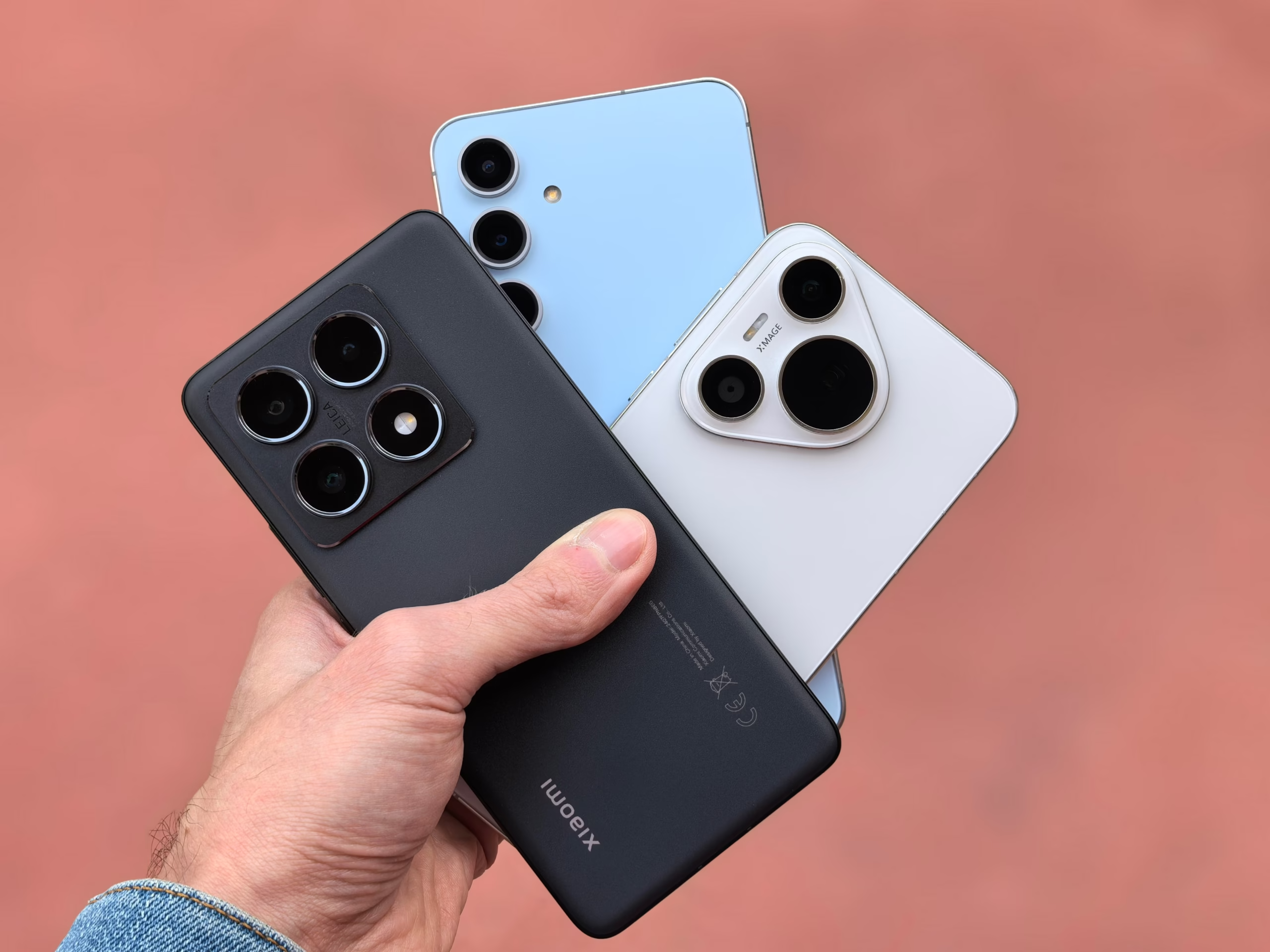
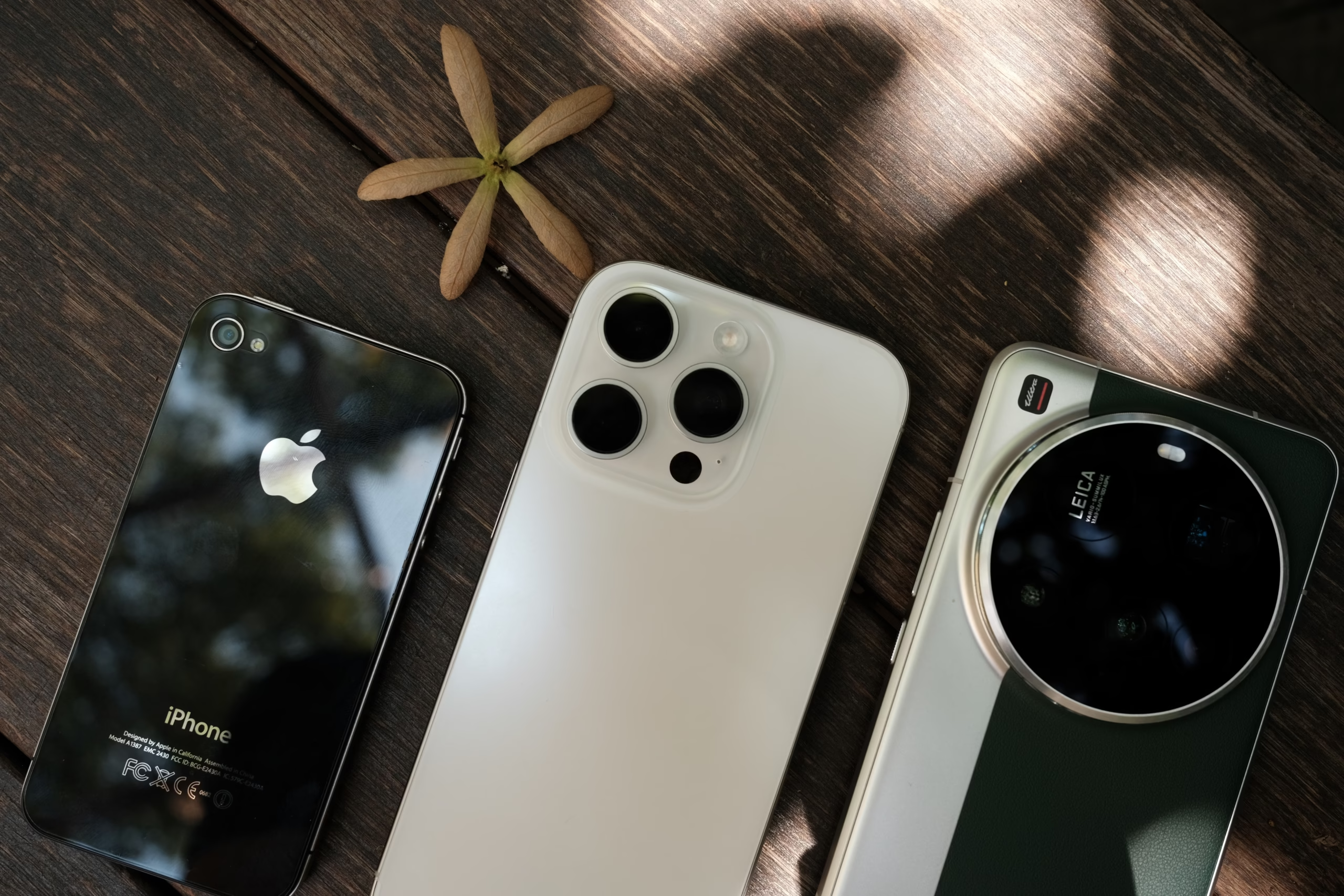
The Camera Arrangement
-
iPhone: The camera module has evolved significantly over the years. Early models had a single lens, the iPhone 7 Plus introduced dual lenses, and the Pro models now feature triple lenses arranged in a triangular pattern. The iPhone 11 has a square bump with two lenses, while the iPhone 12 and 13 have a diagonal arrangement.
-
Samsung Galaxy: The camera bump can vary from a vertical strip to a rectangular module with multiple lenses. The S24 Ultra features a distinctive rectangular block with multiple sensors.
-
Google Pixel: Known for the prominent visor-like camera bar on the back, which has become a signature design element.
The Screen and Bezels
-
Notch vs. Punch-Hole: iPhones before the iPhone 14 Pro featured the iconic notch at the top. The iPhone 14 Pro introduced the Dynamic Island, a pill-shaped cutout. Most Android phones have moved to a punch-hole camera located at the top center or top left of the screen.
-
Curved vs. Flat Screen: Samsung’s flagship phones often feature curved edges on the screen, while many other brands opt for flat displays.
-
Home Button: The presence of a physical Home button clearly identifies an older iPhone (SE models) or certain Android devices.
The Charging Port
-
Lightning Port: Exclusive to iPhones from the iPhone 5 through the iPhone 14. This is a strong clue that you’re holding an Apple device.
-
USB-C Port: Used by all modern Android phones and the iPhone 15 series. It is a wider, oval-shaped port.
-
Micro USB: Found on older Android devices and many budget phones. This is a sign of an older or entry-level device.
The Side Buttons
-
iPhone: Features a silent/ring switch on the left side above the volume buttons, which is unique to Apple.
-
Samsung: Typically has all buttons on the right side.
-
Google Pixel: Features a distinctive color accent on the power button.
Understanding Different Types of Phones
When we ask what type of phone is this, we might also be asking about the category of phone, not just the model number. Here’s a breakdown of the main types available in the market today.
Smartphones: The Modern All-Rounder
Most people today own a smartphone. These are touchscreen devices with computer-like functionality. They run operating systems like iOS (Apple iPhones) or Android (Samsung, Google Pixel, OnePlus, etc.). They offer internet access, apps, high-quality cameras, GPS, and more. Their sophistication is usually the answer for a vast majority of people asking, “what type of phone is this?”
Key Features of Smartphones:
-
Large touchscreen displays (typically 5.5 inches or larger)
-
High-resolution cameras (often with multiple lenses)
-
Access to app stores (Google Play Store or Apple App Store)
-
Internet connectivity (4G, 5G, Wi-Fi)
-
Biometric security (fingerprint scanner, facial recognition)
-
GPS and navigation capabilities
Basic Cell Phones (Feature Phones)
Also known as “dumb phones,” these are simpler devices designed primarily for calls and texts. They often feature physical keypads, small screens, and long battery life. They don’t run modern app stores and are becoming increasingly popular for digital minimalism or as backup phones.
Key Features of Feature Phones:
-
Physical keypad with numbered buttons
-
Small, non-touch display
-
Basic internet access (2G or 3G)
-
Long battery life (often several days)
-
No app stores
-
Basic camera (usually 2MP or lower)
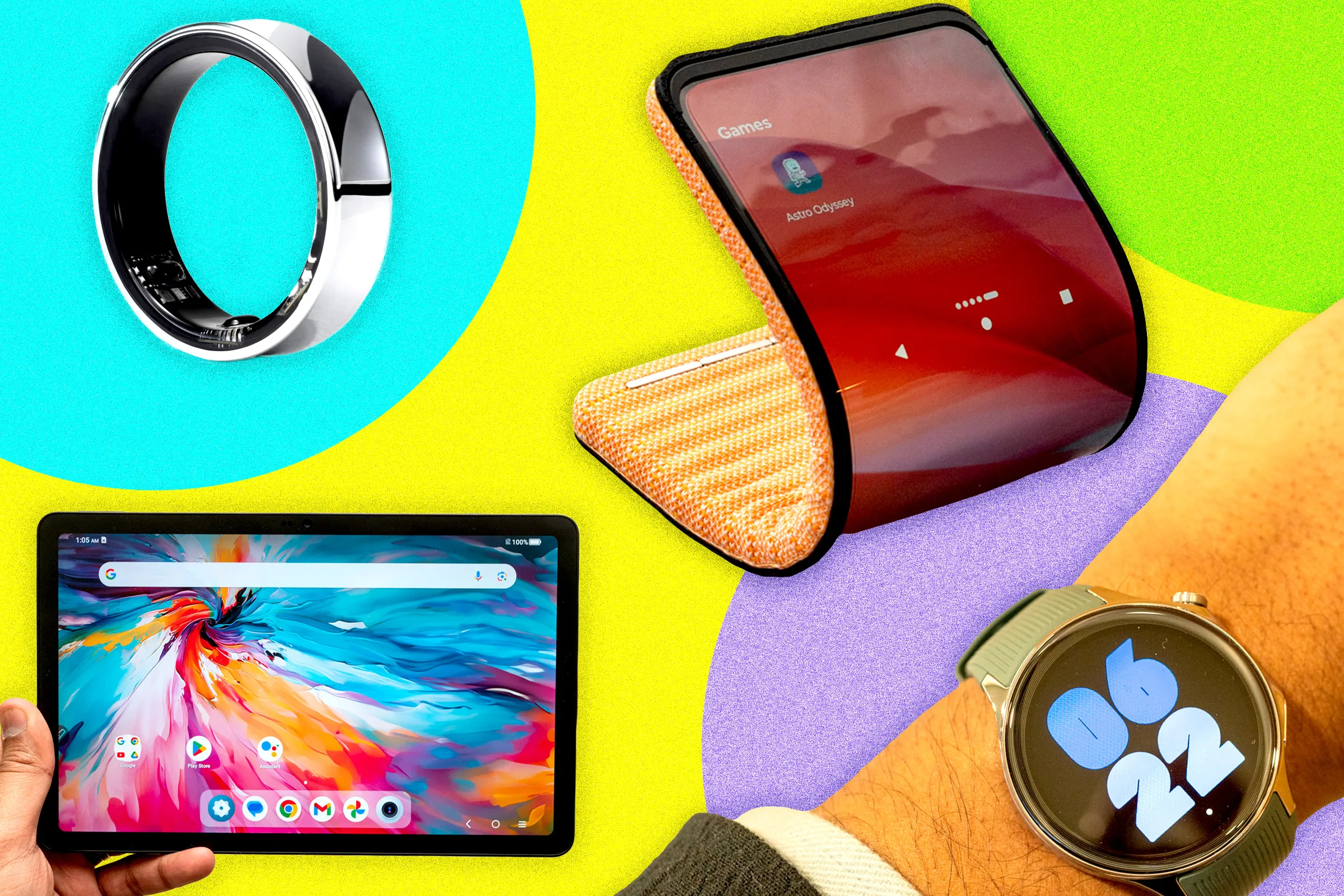
Foldable Phones
A newer category that blends phone and tablet functionality. These devices have a flexible screen that folds in half, allowing for a more compact design when closed and a larger screen when open. Models like the Samsung Galaxy Z Fold and Z Flip represent this type.
Key Features of Foldable Phones:
-
Flexible OLED display that folds inward or outward
-
Tablet-like experience when unfolded
-
Standard phone experience when folded
-
Premium price point
-
Advanced hinge technology for durability
Types of Foldable Phones:
-
Book-style Foldables: Fold like a book (e.g., Samsung Galaxy Z Fold). These offer a large inner screen and a standard outer screen.
-
Clamshell Foldables: Fold like a flip phone (e.g., Samsung Galaxy Z Flip, Motorola Razr). These are compact when closed and offer a standard phone screen when opened.
Refurbished Phones
While not a different type of phone, this is a popular category to consider. A refurbished phone is a used device that has been inspected, repaired (if necessary), and restored to full working order. They are often sold at a discount and can include a warranty. This is a great way to get a high-end device for less money when you know what type of phone is this.
Key Features of Refurbished Phones:
-
Lower price compared to new devices
-
Often come with a warranty (usually 30-90 days)
-
Professionally inspected and cleaned
-
May show minor cosmetic wear
-
Can be “carrier unlocked” or carrier-specific
Rugged Phones
These are designed for tough environments and are resistant to water, dust, and drops. Brands like CAT and Blackview manufacture these devices. If you work in construction or outdoor environments and someone asks, “what type of phone is this?” the answer might be a rugged phone.
Key Features of Rugged Phones:
-
MIL-STD-810G certified for drop protection
-
IP68 or IP69K water and dust resistance
-
Thick, durable casing with reinforced corners
-
Often have large batteries for extended use
-
May include specialized features like thermal cameras
Gaming Phones
Designed specifically for mobile gaming, these phones feature powerful processors, high refresh rate displays, and advanced cooling systems. Brands like ASUS ROG Phone and Black Shark lead this category.
Key Features of Gaming Phones:
-
High refresh rate displays (120Hz or higher)
-
Advanced cooling systems (often with built-in fans)
-
Powerful processors and ample RAM
-
Dedicated gaming modes and software
-
Pressure-sensitive triggers for gaming controls
How to Identify Your Phone Model Using External Tools
If you’re still struggling to determine what type of phone is this, there are numerous online tools and databases that can help.
Manufacturer Websites
Every major manufacturer offers a dedicated page where you can enter your IMEI, serial number, or model number to get detailed information about your device.
| Manufacturer | Tool Name | What It Reveals |
|---|---|---|
| Apple | Check Coverage | Model, warranty status, purchase date |
| Samsung | Find My Mobile | Model, IMEI, last known location |
| Device Help | Model, software version, warranty info | |
| OnePlus | Service Center | Model, IMEI, warranty status |
| Xiaomi | Mi Account | Model, IMEI, unlock status |
Third-Party IMEI Checkers
Several third-party tools can provide comprehensive device information when you input the IMEI number.
-
IMEI.info: Shows the device model, brand, and technical specifications.
-
IMEI24.com: Provides detailed information including model, country of origin, and warranty status.
-
CheckIMEI.co.uk: Offers blacklist checks and model identification.
Common Phone Models and Their Identifying Features
Here’s a quick reference table for some of the most common smartphone models and how to identify them.
| Brand | Model | Key Identifying Features |
|---|---|---|
| Apple | iPhone 15 Pro Max | Titanium frame, USB-C port, Dynamic Island, triple camera |
| Apple | iPhone 14 Pro | Stainless steel frame, Dynamic Island, triple camera |
| Apple | iPhone SE (3rd Gen) | Home button, LCD screen, single camera |
| Samsung | Galaxy S24 Ultra | S Pen, square camera layout, titanium frame |
| Samsung | Galaxy Z Fold 5 | Book-style foldable, tablet size inner screen |
| Samsung | Galaxy Z Flip 5 | Clamshell foldable, outer cover screen |
| Pixel 8 Pro | Camera visor bar, matte glass back | |
| Pixel 8 | Camera visor bar, glossy glass back | |
| OnePlus | OnePlus 12 | Circular camera module, alert slider |
| Xiaomi | Xiaomi 14 Ultra | Large circular camera module, Leica branding |
Expert Tips for Phone Identification
As a technology expert, here are my top recommendations for ensuring you always know what type of phone is this.
Tip 1: Take a Photo of Your Settings Screen
Once you’ve navigated to the About Phone section, take a screenshot. Store this screenshot in a dedicated “Phone Info” folder in your gallery. This way, even if you’re asked, “what type of phone is this?” when you don’t have the phone in hand, you can reference the screenshot.
Tip 2: Use a QR Code Sticker
Create a QR code that contains your phone’s model number, IMEI, and serial number. Attach this sticker to the inside of your phone case. If you ever need the information while you’re away from home, you can scan the QR code.
Tip 3: Maintain a Digital Record
Store your phone’s key information in a secure password manager or cloud service. Include the model name, model number, IMEI, serial number, purchase date, and where it was purchased. This is invaluable for insurance claims and trade-ins.
Tip 4: Register Your Device
After purchasing a new phone, register it with the manufacturer. This creates a digital record and ensures you’re notified about software updates and recalls.
Tip 5: Learn the Visual Clues
Spend 10 minutes studying images of different phone models online. Familiarize yourself with the camera arrangements, button placements, and design languages of various brands. This visual knowledge will help you answer “what type of phone is this?” within seconds.
Real-World Scenarios for Phone Identification
Let’s explore some practical examples of how knowing what type of phone is this solves real problems.
Scenario 1: The Screen Replacement
Sarah cracked her phone screen. She walks into a repair shop and says, “I need a screen replacement.” The technician asks, “what type of phone is this?” Sarah doesn’t know. The technician cannot order the correct part or provide an accurate quote until she identifies the model.
Solution: Sarah checks her Settings > About Phone and finds her Galaxy S23 FE. The technician orders the correct part and completes the repair.
Scenario 2: The International Traveler
Jake is traveling from the US to Europe. He needs to use a local SIM card. He goes to a kiosk at the airport in London and the attendant asks, “what type of phone is this?” Jake doesn’t know, and they can’t sell him a SIM that will work.
Solution: Jake dials *#06# to find his IMEI. He uses an online tool to check compatibility. He discovers his iPhone 14 (A2649) supports the European networks. He purchases a local eSIM instead of a physical SIM to avoid compatibility issues.
Scenario 3: The Phone Trade-In
Maria wants to upgrade to the new iPhone 16. The carrier asks, “what type of phone is this?” to determine her trade-in value. She doesn’t know, so the carrier estimates a lower value, and she only receives $200 for her phone.
Solution: Maria checks her Settings > General > About. She finds “iPhone 13 Pro Max.” She enters this information into the carrier’s trade-in tool and discovers her device is worth $400. She receives double the estimated value.
Scenario 4: The Lost Phone
David loses his phone. He needs to report it as lost to his insurance company. They ask, “what type of phone is this?” and require the IMEI. David doesn’t know and can’t make the claim.
Solution: David always keeps his phone information in a secure note in his password manager. He retrieves the model and IMEI, files the claim, and receives a replacement phone within two days.
The Future of Phone Identification
As technology evolves, the way we identify devices is also changing.
AI-Powered Visual Recognition
Apps that use computer vision to identify a phone based on a photo are becoming increasingly sophisticated. Google Lens can now sometimes identify phones by analyzing the camera module or screen design. In the near future, answering “what type of phone is this?” might be as simple as taking a photo.
Universal Digital IDs
There are discussions about creating a standard digital ID for phones that could be easily shared between users and service providers. This would eliminate the need to manually look up model numbers.
Embedded NFC Information
Some future phones might include an NFC tag that, when tapped by a compatible device, instantly transmits the model number and technical specifications. This could revolutionize how we identify our phones.
Blockchain-Verified Device Records
Blockchain technology could be used to create tamper-proof digital records for mobile devices. This would prevent fraud and make it easy to verify the authenticity and history of any phone.
Conclusion: Taking Control of Your Device Knowledge
Knowing how to identify your device is a fundamental skill for any smartphone owner. The answer to “what type of phone is this?” unlocks critical information for troubleshooting, buying, selling, and connecting with mobile networks.
Key Takeaways
-
Settings Are Your Best Friend: Navigating to Settings > About Phone (Android) or Settings > General > About (iPhone) provides the most direct and reliable identification.
-
The IMEI Is Your Phone’s Identity: The IMEI number is the definitive identifier for your device. Dial
*#06#to find it instantly and keep it stored safely. -
Physical Clues Matter: The SIM card tray, original packaging, and even the placement of buttons and cameras can help you identify the device when it won’t power on.
-
Know the Category: Understand if you have a smartphone, feature phone, foldable, or rugged phone to understand its capabilities and limitations.
-
Use Online Tools: Manufacturer websites and third-party IMEI checkers provide comprehensive information about any device.
-
Visual Identification: Learn to recognize key design features like camera arrangements, screen notches, and button placements.
-
Maintain Digital Records: Store your phone’s model, IMEI, serial number, and purchase information in a secure place for future reference.
Actionable Advice for Smart Device Ownership
-
Record Your Information Immediately: When you get a new phone, take 2 minutes to record the model name, model number, IMEI, and serial number in a secure note.
-
Keep the Original Box: Store the box in a safe place until you no longer own the device. It contains all the information you need.
-
Screenshot the About Screen: Take a screenshot of the Settings > About page and save it for quick reference.
-
Register Your Device: Always register your phone with the manufacturer after purchase to activate your warranty and receive software updates.
-
Learn Visual Clues: Familiarize yourself with the design language of different brands to quickly identify phones at a glance.
-
Use Trusted Tools: When using IMEI checkers, stick to reputable websites to avoid scams.
Final Encouragement
Don’t let device confusion stump you. Now, go ahead and check your own phone. Discovering your exact model number will empower you to make smarter decisions about your technology. Whether you’re buying a case, selling your old device, troubleshooting an issue, or just curious about the device in your pocket, knowing what type of phone is this gives you complete control over your digital experience.
Take charge of your technology today. Your phone is a powerful tool—make sure you understand it fully.